
Help! My Desk is a Phone: Best Mobile IT Support Apps
Why Your Team Needs a Mobile IT Service Desk App Right Now
Finding the right IT service desk app for your organization? Here's a quick overview of the top options:
App Best For Key Strength Freshservice AI-powered ITSM 356% ROI, 66% ticket deflection ServiceDesk Plus ITIL enterprise needs Cloud & on-premises, barcode scanning Tikit Microsoft Teams shops Native Teams integration, 4.9/5 rating SysAid AI-first workflows 90% faster resolution, emotion detection Siit Lean IT teams 50% tickets automated, <1 hr response
Your IT team is stretched thin. Tickets pile up. Compliance deadlines loom. And half the time, your technicians are away from their desks when urgent requests come in.
Sound familiar? If you work in healthcare, defense, or finance, you already know that a slow IT response isn't just an inconvenience — it can mean a HIPAA violation, a failed CMMC audit, or a costly security breach.
The old model of desktop-only help desk software just doesn't cut it anymore. Your team needs to manage incidents, track assets, and approve changes from wherever they are — on a phone, a tablet, or a laptop in the field.
That's exactly what modern IT service desk apps are built for. They bring the full power of an IT support system into a mobile-first format, with AI automation, real-time notifications, and integrations that keep regulated environments secure and compliant.
The numbers back this up. Organizations using AI-powered service desk platforms report a 77% decrease in average resolution time and 66% ticket deflection through self-service — meaning fewer fires for your team to put out manually.
I'm Michael Gaigelas II, and at Compliance Cybersecurity Solutions I've helped businesses in regulated industries — healthcare, defense, finance — build IT support operations that are both efficient and audit-ready. Selecting and configuring the right IT service desk app is something I work through with clients regularly, especially when HIPAA, CMMC 2.0, and SOC 2 requirements are on the line. In this guide, I'll walk you through the best mobile IT support apps available in July 2026, so you can choose the right fit for your team and your compliance needs.
What is an IT Service Desk App and How Does It Differ from Traditional Help Desk?
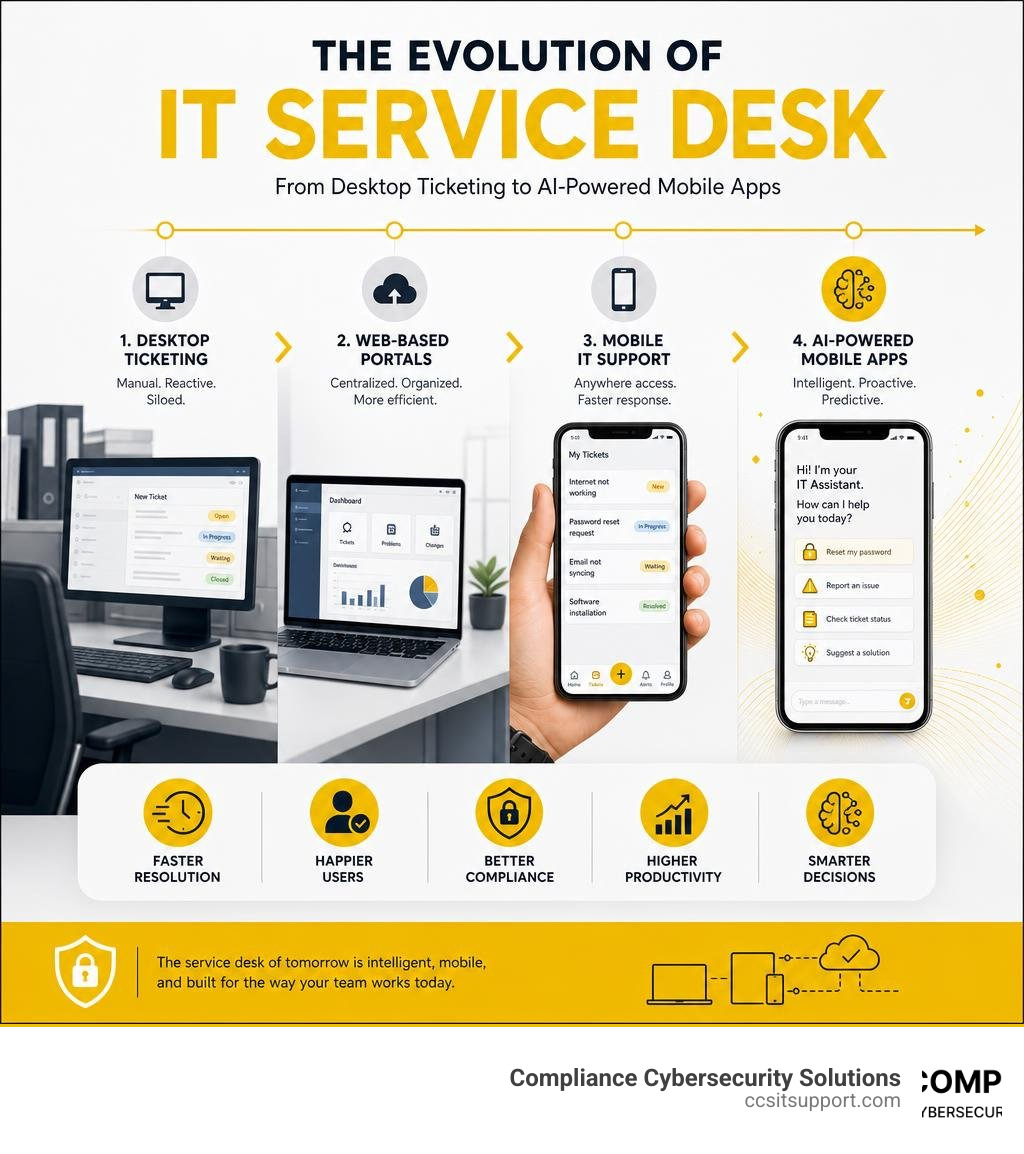
When we talk about managing IT support, it’s easy to use "help desk" and "service desk" interchangeably. However, in modern IT Service Management (ITSM), they represent two entirely different philosophies.
A traditional help desk is tactical. It is a reactive, ticket-focused tool designed to fix problems after they occur. When an employee's printer stops working, they submit a ticket, and the help desk team resolves it. It is a straightforward IT Support Ticket System aimed at quick fixes.
An IT service desk app, on the other hand, is highly strategic and aligned with the ITIL (Information Technology Infrastructure Library) framework. It doesn't just react to broken devices; it manages the entire lifecycle of IT services. According to ITIL best practices, a service desk focuses on:
Incident Management: Restoring normal service operations as quickly as possible to minimize business disruption.
Service Requests: Handling standard requests for new software, hardware access, or password resets through an organized catalog.
Problem Management: Investigating the root cause of recurring incidents to prevent future disruptions.
Change Management: Ensuring that system upgrades, patches, or configurations are planned, approved, and executed with minimal risk.
By moving these comprehensive capabilities to a mobile application, organizations can support their workforce wherever they operate. Whether you are managing complex clinical systems or standard corporate assets, a mobile-first ITSM approach ensures that critical Service Delivery & Support | Information Technology remains active and accessible beyond the physical office.
Core Features and Benefits of Mobile IT Support Solutions
Why shift your entire support team to a mobile environment? The answer lies in the dramatic improvements in speed, technician productivity, and user satisfaction.
When your technicians can handle tasks on the move, they are no longer tethered to a physical desk. This flexibility yields impressive results:
98% Average Employee Satisfaction Score: Users receive faster updates and resolutions, which translates directly into happier employees.
77% Decrease in Average Resolution Time (ART): AI-powered assistance and instant mobile notifications allow technicians to address critical tickets in minutes rather than hours.
66% Ticket Deflection: Smart self-service portals and AI virtual agents resolve common issues before they ever reach a human technician.
Implementing a mobile IT Service Desk Ticketing System ensures that your field technicians can document, update, and close tickets in real time, keeping your entire operation running smoothly.
Essential Capabilities of a Modern IT Service Desk App
To deliver value on the go, a mobile service desk app must offer more than just a simplified view of a desktop dashboard. It needs specific, built-in mobile capabilities:
Instant Ticket Creation and Editing: Technicians can create, view, edit, and resolve requests directly from their phones.
Work Logs and Time Tracking: Real-time logging of hours spent on-site ensures accurate billing and performance tracking.
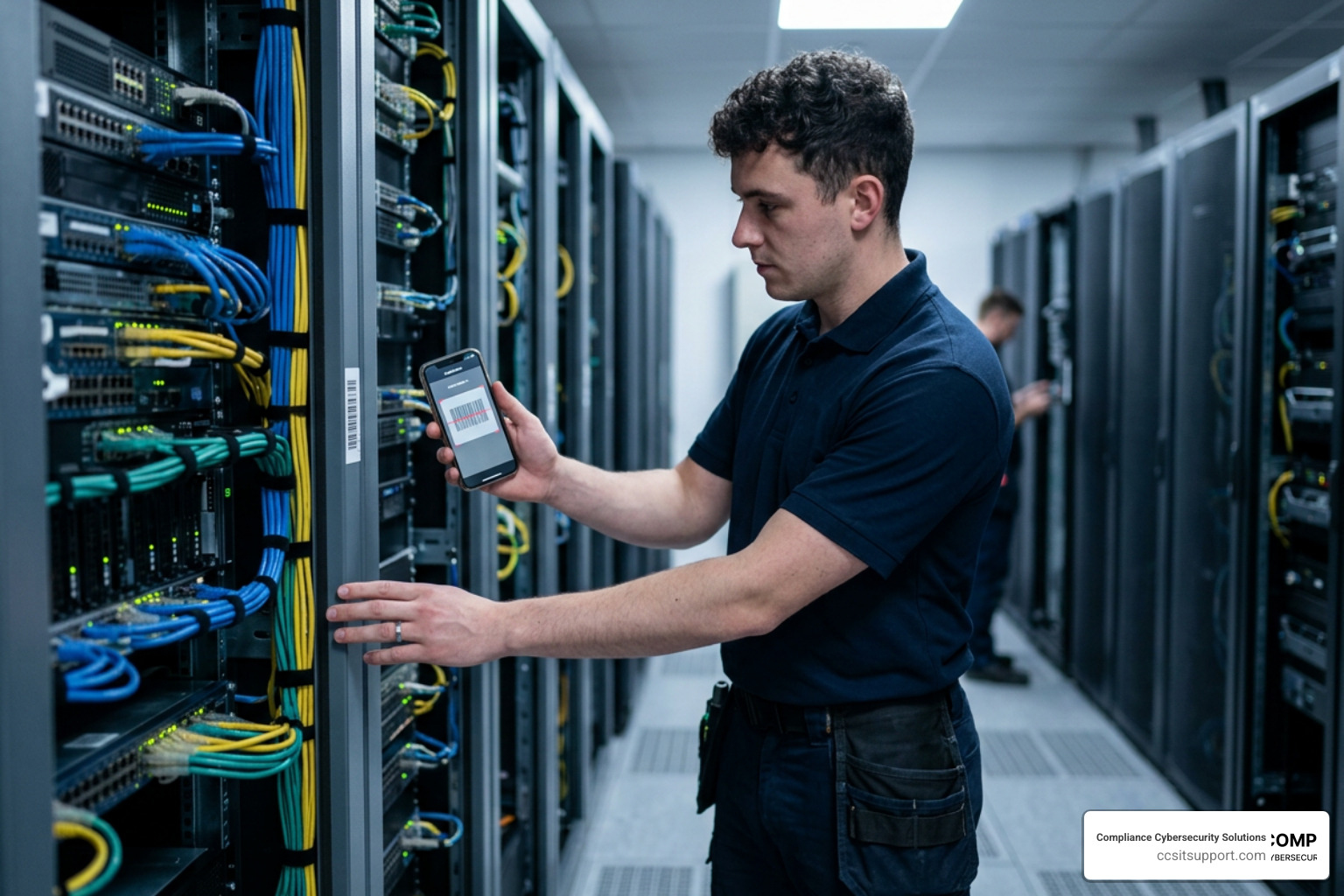
Advanced Asset Tracking: Field staff can scan physical assets via barcode, QR code, or RFID technology using their phone's camera. This instantly links the physical hardware to a specific ticket or user.
Push Notifications and Alerts: Real-time push notifications ensure that urgent incidents or critical approvals are never missed.
Knowledge Base Access: Technicians can quickly access troubleshooting guides and solutions on the floor, reducing the need to consult external manuals.
For a broader look at the tools driving these capabilities, check out our comprehensive Service Desk Tools List.
How AI and Automation Power the Modern IT Service Desk App
AI is no longer a futuristic concept; it is a core component of modern IT support. Today's service desk apps leverage artificial intelligence to automate routine tasks, allowing human technicians to focus on complex projects.
AI Ticket Deflection: Virtual agents use natural language processing (NLP) to read incoming queries and suggest relevant articles from the knowledge base, deflecting up to 66% of routine tickets.
Generative AI and Smart Replies: AI assistants suggest professional, context-aware email replies and summarize long, complex ticket histories in seconds.
Intelligent Routing and Business Rules: Using predefined business rules, up to 70% of incidents can be automatically categorized and routed to the correct technician, team, or priority level.
Emotion and Sentiment Detection: Advanced AI systems analyze the tone of a user's message, highlighting frustrated or high-priority users so agents can respond accordingly.
By deploying an AI-Powered ITSM Platform | Simple, Scalable IT Service for Every Business, organizations can automate everyday workflows, reduce human error, and scale their support capacity without rapidly expanding headcount.
Deployment, Integrations, and Enterprise Service Management (ESM)
Transitioning to a new service desk platform requires careful planning. Organizations must navigate legacy tool migrations, manage data mapping, and ensure high user adoption through training.
Working with an experienced partner for IT Service Desk Outsourcing can simplify this transition, helping your team map existing data, configure complex workflows, and minimize operational downtime.
Cloud vs. On-Premises Deployment Options
Choosing how to host your service desk app depends heavily on your industry, security requirements, and internal infrastructure.
Feature Cloud-Based (SaaS) On-Premises Scalability Instant, automatic scaling Requires manual hardware upgrades Maintenance Managed entirely by the vendor Managed by your internal IT team Data Control Data stored in vendor cloud Complete physical control over data Implementation Rapid deployment (hours to days) Longer setup (often up to 12 weeks) Access Accessible anywhere with internet Requires VPN or secure local network
While cloud-based solutions offer unmatched flexibility and rapid deployment, on-premises options remain popular in highly regulated sectors where strict physical control over data residency is mandatory. Proper IT Service Desk Management ensures that whichever deployment model you choose, your security and operational standards are fully met.
Enterprise Integrations and Multi-Department Support
A modern service desk app should not operate in a silo. To maximize efficiency, it must integrate seamlessly with your existing enterprise systems:
Collaboration Platforms: Deep integrations with platforms like Microsoft Teams allow users to create, update, and resolve tickets directly within their daily chat environment.
Identity and Access Management (IAM): Integrations with tools like Microsoft Entra ID ensure secure single sign-on (SSO) and accurate user mapping.
Mobile Device Management (MDM): Syncing with MDM tools like Microsoft Intune provides real-time visibility into device health and ownership.
Furthermore, these platforms support Enterprise Service Management (ESM), expanding IT workflows to non-IT departments. HR teams can automate onboarding and offboarding, facilities can track maintenance requests, and finance can manage purchase order approvals—all through a single, unified interface. Utilizing tools like IT Service Desk Software | Boost Efficiency & User Satisfaction - USU helps organizations consolidate their departmental support systems into one streamlined platform.
Security, Compliance, and Performance Metrics
When managing IT support on mobile devices, security cannot be an afterthought. A secure mobile app must protect sensitive data while providing deep visibility into performance metrics.
By leveraging professional IT Service Desk Services, organizations can ensure their mobile support workflows remain highly secure and continuously optimized.
Security and Compliance in Regulated Industries
For organizations in healthcare, defense, and finance, compliance is a legal necessity. Your mobile service desk app must align with rigorous security frameworks:
SOC 2 Type 2: Verifies that the platform securely manages user data based on security, availability, and confidentiality.
GDPR & HIPAA: Protects personal and protected health information (PHI) through advanced data encryption in transit and at rest.
CMMC (Cybersecurity Maturity Model Certification): Ensures defense contractors protect Controlled Unclassified Information (CUI) with strict access controls and detailed audit trails.
Role-Based Access Control (RBAC): Restricts data access so technicians only see the information required for their specific roles.
Adhering to these standards, similar to the guidelines managed by the Customer Support Services | Florida Department of Environmental, ensures that your mobile operations remain fully compliant with state and federal regulations.
Measuring Performance with Reporting, Analytics, and SLAs
To continuously improve service delivery, organizations must track key performance indicators (KPIs) through real-time dashboards and detailed reports:
SLA Management: Pre-defined rules prioritize requests, track response times, and alert managers before service level agreements (SLAs) are breached.
Mean Time to Resolution (MTTR): Tracking MTTR helps identify bottlenecks in support workflows, allowing teams to optimize their response processes.
Advanced Reporting: Integrations with tools like Power BI and Excel allow managers to track technician performance, analyze ticket trends, and make data-driven staffing decisions.
Frequently Asked Questions about Mobile IT Support
What is the difference between a mobile help desk and an IT service desk app?
A mobile help desk focuses on tactical, day-to-day troubleshooting and ticketing. An IT service desk app is a strategic solution aligned with the ITIL framework, managing incident, problem, asset, and change management workflows from a single mobile interface.
Can non-IT departments use an IT service desk app?
Yes. Through Enterprise Service Management (ESM), non-IT departments like HR, facilities, and finance can use the app to manage onboarding workflows, facilities requests, and financial approvals.
How do mobile IT support apps handle offline mode and asset scanning?
Many modern apps allow technicians to scan barcodes, QR codes, or RFID tags using their mobile camera. If a technician is offline, the app caches the data locally and synchronizes automatically once a secure network connection is restored.
Conclusion
Managing IT support in highly regulated industries requires a careful balance of mobility, efficiency, and strict compliance. Whether your team is navigating HIPAA requirements in healthcare, CMMC standards in defense, or SOC 2 audits in finance, a mobile IT service desk app can transform your IT operations from a bottleneck into a competitive advantage.
At Compliance Cybersecurity Solutions (CCS), based in Fort Lauderdale, FL, we specialize in providing compliance-focused cybersecurity services, IT support, and helpdesk solutions tailored for regulated industries. We align your IT infrastructure with critical standards like HIPAA and CMMC through robust policies, layered security, and advanced threat detection.
Ready to secure your mobile IT workflows and streamline your compliance? Secure Your IT Infrastructure with CCS today and let our team build a secure, audit-ready support environment for your business.