

Everything You Need to Know About IT Support Service Desks
When Every Minute of Downtime Costs You: The Case for IT Service Desk Services
IT service desk services are the structured, centralized support systems that organizations use to manage technology issues, service requests, and user needs — all through a single point of contact.
Here is what they do at a glance:
Function What It Means for You Incident Management Logs and resolves unexpected tech failures fast Request Fulfillment Handles software installs, access requests, and onboarding Self-Service Portal Lets users solve common issues without waiting on hold SLA Tracking Measures response and resolution times against agreed targets Knowledge Management Captures fixes so the same problem is never solved twice Escalation Routing Moves complex issues to the right expert at the right tier Compliance Support Documents incidents and enforces policies for audits (HIPAA, CMMC, etc.)
Think about the last time a critical system went down during business hours. Your team couldn't work. Patients couldn't be seen. Contracts couldn't be signed. Every minute without a resolution had a real cost.
For leaders in regulated industries — healthcare, defense, finance — that pressure is doubled. You are not just dealing with lost productivity. You are dealing with potential compliance violations, audit exposure, and security risk.
That is exactly where a well-run IT service desk becomes more than a help line. It becomes a core part of how your business stays operational, secure, and compliant.
According to HDI research, 41% of help desks and service desks are called something else entirely — which tells you something important: most organizations have some version of this function, but very few have it structured in a way that actually scales or satisfies users.
I am Michael Gaigelas II, founder of Compliance Cybersecurity Solutions, and I specialize in building IT support frameworks that align IT service desk services with compliance requirements like CMMC 2.0, HIPAA, ISO 27001, and SOC 2 — so your support operations reduce risk rather than create it. In this guide, I will walk you through everything you need to know to evaluate, build, or improve your service desk.
IT Service Desk Services Defined: Help Desk vs Service Desk vs ITSM
In IT support, jargon flies fast and thick. You might hear people use "help desk" and "service desk" interchangeably, but as we move further into 2026, the distinction has never been more important for your business strategy.
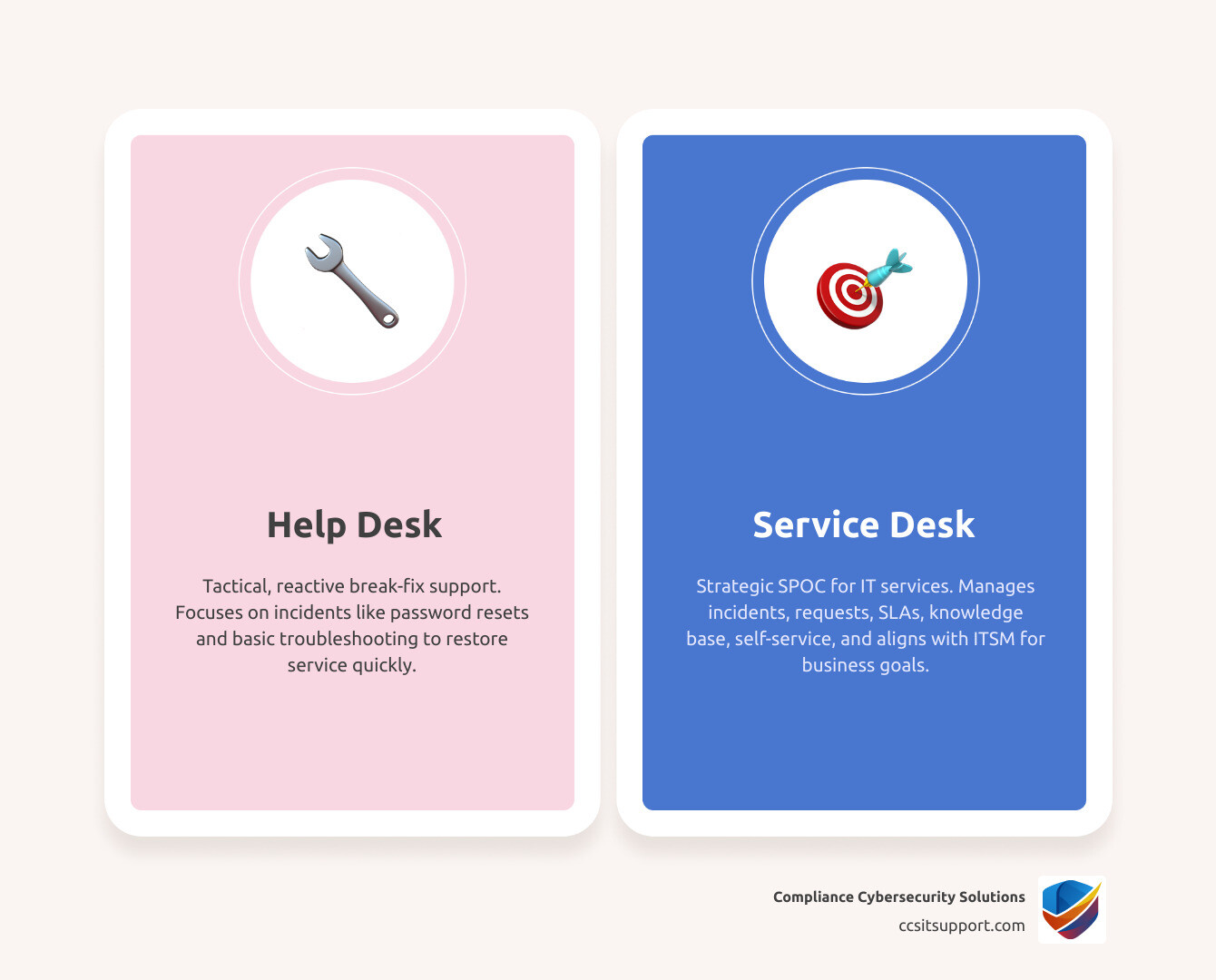
At its simplest, a help desk is a tactical tool. It was born in the 1980s to solve technical "break-fix" problems. If your printer won't connect or you forgot your password, you call the help desk. It is reactive by nature.
A service desk, however, is a strategic evolution. It is a Single Point of Contact (SPOC) that doesn't just fix things when they break; it manages the entire lifecycle of IT services. It is customer-centric, focusing on the "service" provided to the user rather than just the technology itself.
What an IT help desk does
The help desk is the "emergency room" of IT. Its primary focus is incident management—restoring service as quickly as possible.
Break-fix support: Fixing hardware or software that isn't working.
Password resets: One of the most common, high-volume tasks.
Basic troubleshooting: Handling Level 1 issues that have known, documented fixes.
Tactical response: Reacting to user complaints to minimize immediate downtime.
What IT service desk services include
When we talk about modern it service desk services, we are looking at a much broader scope. A service desk manages both incidents (things that are broken) and service requests (new things you need).
Service Catalog: A menu of available services (e.g., "Request a new laptop" or "Access the HR portal").
Request Fulfillment: Standardized workflows for granting access or providing new equipment.
SLA Tracking: Measuring performance against Service Level Agreements to ensure transparency.
Knowledge Base: Creating a library of solutions that both technicians and users can access.
Self-Service: Empowering users to solve their own problems through a portal.
How ITSM fits around the service desk
IT Service Management (ITSM) is the entire "umbrella" framework. If the service desk is the engine, ITSM is the car. Guided by frameworks like ITIL (Information Technology Infrastructure Library), ITSM ensures that IT is aligned with business goals. It includes:
Change Management: Ensuring system updates don't crash the network.
Problem Management: Investigating why a certain issue keeps happening so it can be eliminated forever.
Asset Management: Tracking every device and software license for security and cost control.
Why terminology matters to buyers
Why should you care about these definitions? Because it sets your service expectations. If you hire a provider for a "help desk" but you expect them to manage your HIPAA compliance audits and hardware lifecycles, you will be disappointed. Understanding the scope helps in procurement and ensures you are paying for the level of support maturity your organization actually requires.
Core Functions and Roles of Modern IT Service Desk Services
A high-performing service desk is like a well-oiled machine. It needs the right people in the right seats to ensure that a simple ticket doesn't turn into a week-long outage.
Incident management and rapid service restoration
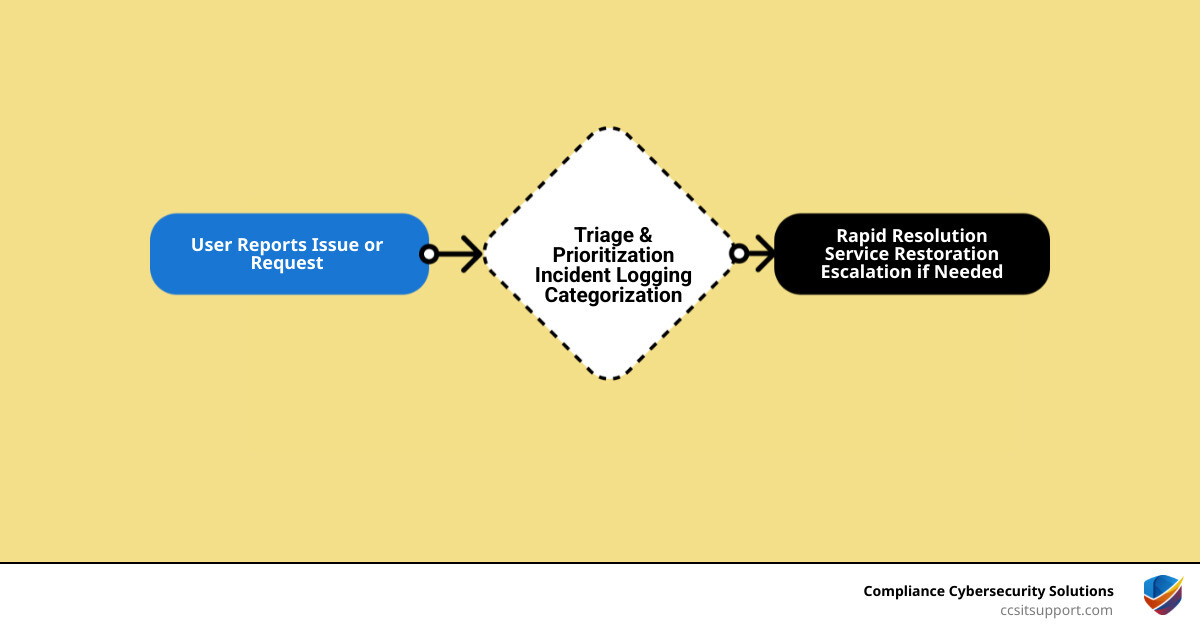
The primary goal of incident management is to "restore order." When a user reports an issue, the service desk logs it, prioritizes it based on impact (how many people are affected) and urgency (how fast it needs to be fixed), and begins triage.
Triage: Sorting tickets to the right team.
MTTR (Mean Time to Repair): The gold standard metric for how fast we get you back to work.
Major Incidents: High-priority events that trigger an "all-hands" response.
Request management, access, and onboarding workflows
Not every ticket is a problem. Many are simply requests for something new. In regulated industries, these must be handled with extreme care. We use standardized workflows for software installs and account provisioning to ensure no one gets access they shouldn't have. For a deeper dive into how these are tracked, you can view our guide on the IT Support Ticket System.
Knowledge management, self-service, and Shift Left
One of the most powerful strategies in modern support is "Shift Left." This means moving the resolution of an issue as close to the user as possible.
Tier 0: The user fixes it themselves using a knowledge article or FAQ in the self-service portal.
Tier 1: A generalist fixes it using a documented script.
Tier 2/3: Senior engineers handle the complex stuff. By "shifting left," we reduce ticket volume and get users back to work faster. Research shows that a single well-written knowledge article can deflect over 250 tickets per month!
Service desk roles, staffing, and ownership
Who is actually doing the work?
Service Desk Manager: Oversees the whole operation and reports on KPIs.
Analysts (Tier 1): The front line. They handle the bulk of daily calls and chats.
Engineers (Tier 2/3): The specialists who handle deep technical dives.
Quality Assurance (QA): People who audit tickets to ensure we are meeting our high standards. For more details on what these folks do daily, check out our IT Support Job Description page.
Why Businesses Outsource IT Service Desk Services
Maintaining an in-house, 24/7 service desk is incredibly expensive. Between salaries, benefits, training, and the cost of the software (ITSM tools), the bill adds up fast. This is why 65% of business and technology leaders globally outsource help desk support.
How outsourcing lowers support costs and improves user productivity
Outsourcing allows you to pay for what you use. Instead of hiring three full-time employees to cover nights and weekends, you tap into a leveraged pool of experts.
Labor Efficiency: You don't have to worry about turnover (which is notoriously high in Level 1 IT roles).
Internal IT Focus: Your internal team can stop fixing printers and start working on strategic projects that actually grow the business.
First-Call Resolution: Professional providers often have higher resolution rates because they have seen every problem imaginable across hundreds of clients.
Service delivery models: dedicated, leveraged, and hybrid
There is no one-size-fits-all model:
Dedicated: A specific team assigned only to your company. Best for large enterprises with complex, custom needs.
Leveraged: You share a pool of technicians with other clients. This is the most cost-effective and is great for standard office environments.
Hybrid (Co-managed): We work alongside your internal team. We might handle the "noise" (password resets, Tier 1) while your team handles high-level projects.
What a successful transition looks like
Moving your support to a partner like CCS shouldn't be scary. A professional transition typically takes 2 to 4 weeks. It involves:
Knowledge Transfer: We learn your systems, your "quirks," and your users.
Runbooks: We document exactly how you want things handled.
Governance: Setting up the meeting cadence to review performance.
Questions to ask before choosing a provider
If you are in Florida or a regulated sector, you can't just pick any provider. You need to ask:
Do you have experience with HIPAA or CMMC?
Are your technicians 100% U.S.-based?
How do you handle Healthcare IT helpdesk services?
What certifications (ITIL, CompTIA, Microsoft) does your staff hold?
AI, Automation, and the Future of the Service Desk
Welcome to 2026, where AI isn't just a buzzword—it's the backbone of efficient it service desk services.
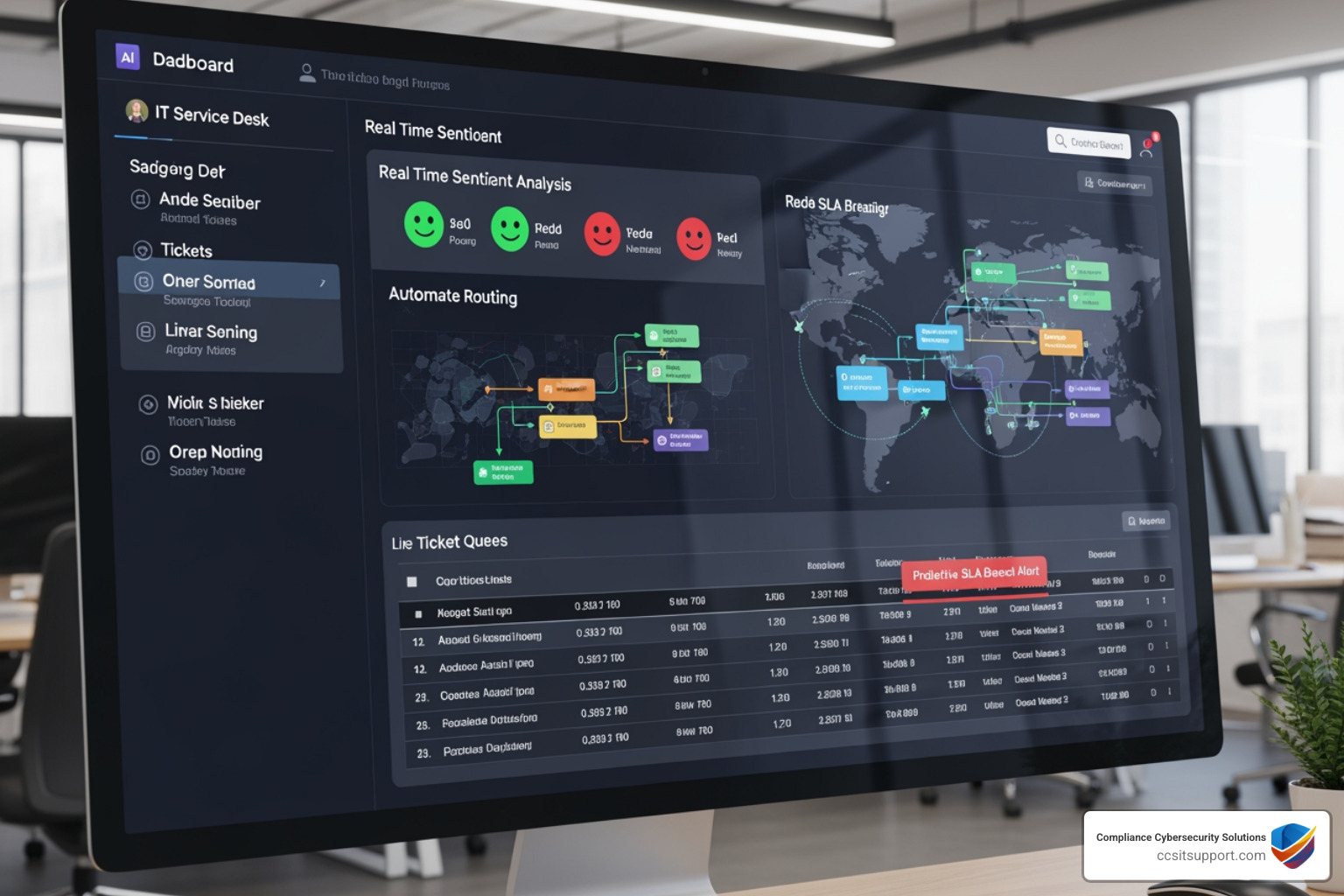
How AI improves ticket intake, triage, and resolution
AI tools now act as a "Triage Assistant." When a ticket comes in, AI can:
Categorize it instantly: Is it a hardware issue or a software bug?
Summarize long email chains: Saving the technician minutes of reading.
Predict SLA breaches: Warning us if a ticket is about to go overdue.
Chatbots, virtual agents, and self-service in IT service desk services
Modern chatbots (think "Alexa for Business") can handle the "friction" tasks that used to clog up phone lines.
Password Resets: Fully automated.
Account Unlocks: Done in seconds by a bot.
24/7 Answers: If a user has a question at 2 AM, the bot can pull the answer from the knowledge base immediately.
Automation use cases that save time without hurting service quality
We use Robotic Process Automation (RPA) to handle repetitive workflows. For example, when a new employee is hired, an RPA bot can automatically create their email, assign them to the right groups in Microsoft 365, and order their laptop. This reduces the onboarding time from days to minutes.
Balancing automation with human expertise
While we love automation, we never forget the human element. There are times when a user is frustrated and needs empathy, or a security incident requires a human's complex judgment. High-performing desks use AI to handle the "boring" stuff so humans can focus on the "important" stuff.
KPIs, SLAs, Security, and Compliance for a High-Performing Service Desk
If you can't measure it, you can't improve it. A service desk without metrics is just a group of people answering phones.
The most important KPIs and SLAs to track
We track everything to ensure we are meeting our promises:
First Response Time: How long until you know we are working on it?
First Contact Resolution (FCR): Did we fix it on the first try?
CSAT (Customer Satisfaction): What did the user think of the experience? (We aim for 97%+).
Abandonment Rate: How many people hung up because the wait was too long?
How a service desk supports security and regulatory compliance
In regulated industries, the service desk is your first line of defense.
Identity Verification: We don't just reset a password because someone asks; we verify who they are first.
Least Privilege: We ensure users only have the access they need for their job.
Audit Logs: Every ticket is a record for your next HIPAA or CMMC audit.
Applying service desk controls in healthcare, finance, and defense
For our clients in Florida's healthcare and defense sectors, the service desk must be "audit-ready" at all times. This means strict documentation of every incident and ensuring that Protected Health Information (PHI) or Controlled Unclassified Information (CUI) is never exposed during a support session.
Continuous improvement through reporting and problem management
Every month, we look for trends. If we see 50 tickets for the same software glitch, we don't just fix them 50 times. We open a Problem Management ticket to find the root cause and fix it permanently. If you need immediate help or want to see our support options, visit our Support Center.
Enterprise Service Desk: Extending Service Principles Beyond IT
Why should only the IT department be organized? The principles of it service desk services—ticketing, SLAs, and centralized portals—work just as well for other departments. This is called Enterprise Service Management (ESM).
How Enterprise Service Desk works across departments
Imagine a single portal where an employee can:
Ask HR for a copy of their W2.
Ask Facilities to fix a leaky faucet in the breakroom.
Ask Finance for an expense reimbursement. By using a common platform, the whole company becomes more efficient.
Benefits of a unified internal support model
Reduced Silos: Departments stop working in isolation.
Consistency: Every request follows a professional workflow.
Better Visibility: Leadership can see where bottlenecks are occurring across the entire organization.
Local and outsourced support for Florida organizations
For businesses in Florida, having a partner who understands the local landscape—from hurricane season business continuity to regional healthcare regulations—is a massive advantage. We provide that perfect balance of 24/7 global assistance with regional expertise. Whether you need remote support or a strategy session, you can Contact CCS for Florida IT Support.
Frequently Asked Questions About IT Service Desk Services
What is the difference between an IT help desk and an IT service desk?
A help desk is a subset of a service desk. The help desk focuses on "break-fix" and tactical troubleshooting. The service desk is broader, focusing on the end-to-end delivery of IT services, business alignment, and proactive management.
When should a company outsource its service desk?
You should consider outsourcing when your internal team is "stretched thin" by daily tickets, when you can't provide 24/7 coverage, or when you are facing strict compliance pressures (like HIPAA or CMMC) that require specialized expertise.
How fast can an outsourced service desk be launched?
A professional transition typically takes 3 to 5 weeks. This includes the RFP phase, environment assessment, runbook documentation, and the "go-live" stabilization period.
Conclusion
At Compliance Cybersecurity Solutions, we don't just "fix computers." We act as a strategic partner for businesses in regulated industries. We understand that for a healthcare provider in Florida or a defense contractor, an IT issue isn't just an inconvenience—it's a compliance risk.
By aligning our it service desk services with frameworks like HIPAA and CMMC, we provide a secure, reliable foundation for your business to grow. We handle the technical "noise" so you can focus on your mission.
Ready to transform your IT support from a cost center into a productivity engine? Explore our service page to learn how we can help you stay secure, compliant, and always online.