
The Definitive IT Service Ticket System Roundup
Why Choosing the Right IT Service Desk Ticketing System Can Make or Break Your Operations
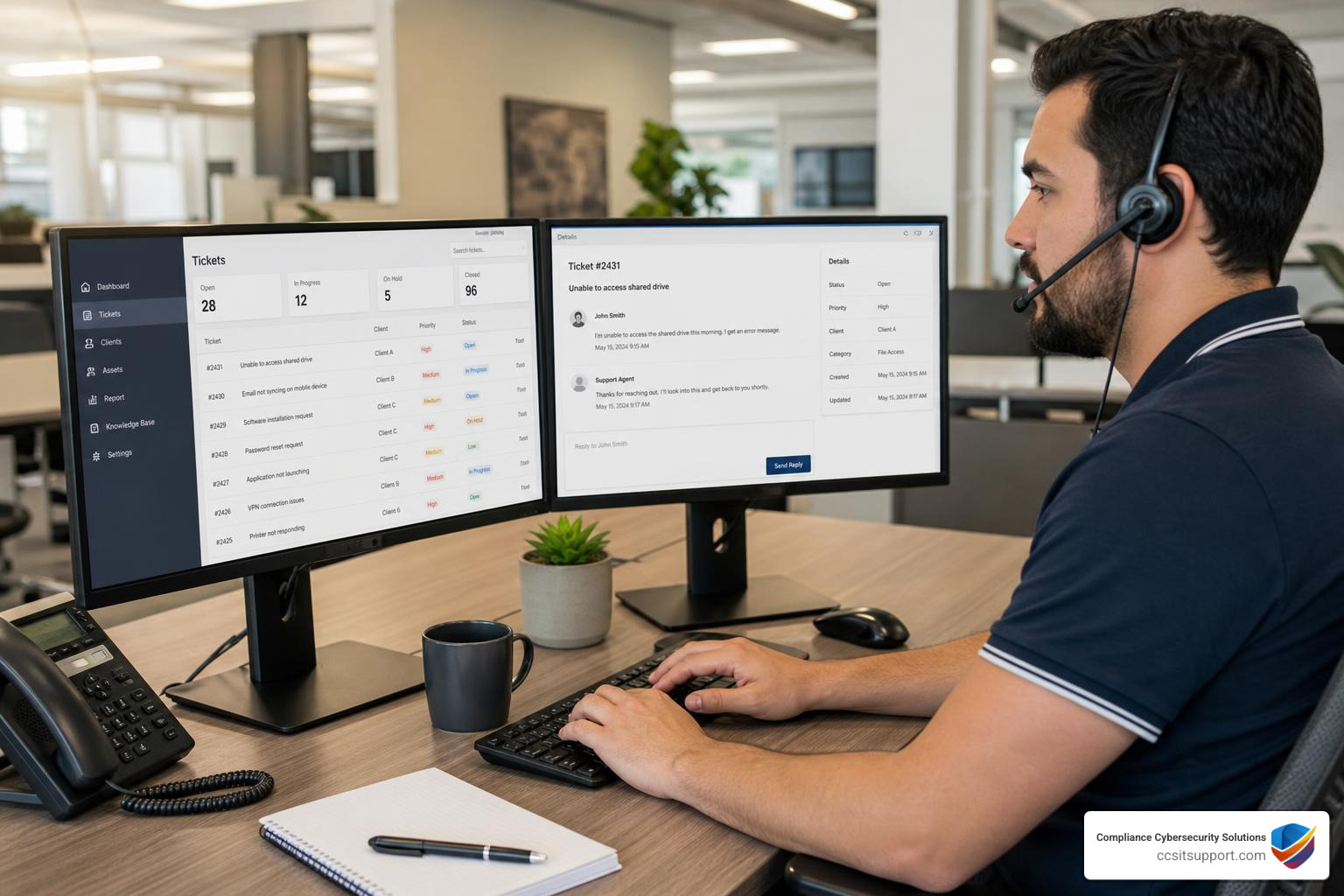
An IT service desk ticketing system is software that captures, tracks, and resolves technology issues — turning every support request into a structured "ticket" that gets assigned, prioritized, and closed systematically.
Here's a quick comparison of the top IT service desk ticketing systems in 2026:
Platform Best For Starting Price Free Trial Freshservice Ease of use, SMBs $19/agent/month Yes Jira Service Management Dev + IT teams $23.80/agent/month 7 days Zendesk AI-powered support $19/agent/month 14 days ServiceNow Large enterprises Custom Yes ManageEngine ServiceDesk Plus ITIL compliance Custom Yes SolarWinds Web Help Desk Monitoring integration Custom Yes Tikit Microsoft Teams shops Custom Yes Zoho Desk Budget-conscious teams $7/user/month 15 days
Without a structured system, IT teams waste hours manually sorting requests, issues fall through the cracks, and downtime compounds. For organizations in regulated industries — healthcare, defense, finance — that's not just an operational headache. It's a compliance risk.
The stakes are real. Organizations using automated ticketing systems report up to a 40% improvement in IT team productivity and up to 50% reduction in downtime. That kind of efficiency isn't a luxury — it's a baseline requirement when auditors are watching.
This guide cuts through the noise. It compares the leading platforms head-to-head so you can make a confident, informed decision — without wading through a dozen vendor websites.
I'm Michael Gaigelas II, and I've spent years helping organizations in regulated industries build IT operations that are both efficient and audit-ready — including evaluating and implementing IT service desk ticketing systems that align with frameworks like CMMC 2.0, HIPAA, and SOC 2. That cross-section of operational efficiency and compliance is exactly what this roundup is designed to address.
Understanding the IT Service Desk Ticketing System Lifecycle
To understand why a modern it service desk ticketing system is so critical, we first have to look at how a ticket moves from a frantic employee's keyboard to a peaceful "resolved" status. A ticket isn't just a digital post-it note; it’s a living record of an issue, and it must follow a strict lifecycle to ensure nothing is missed.
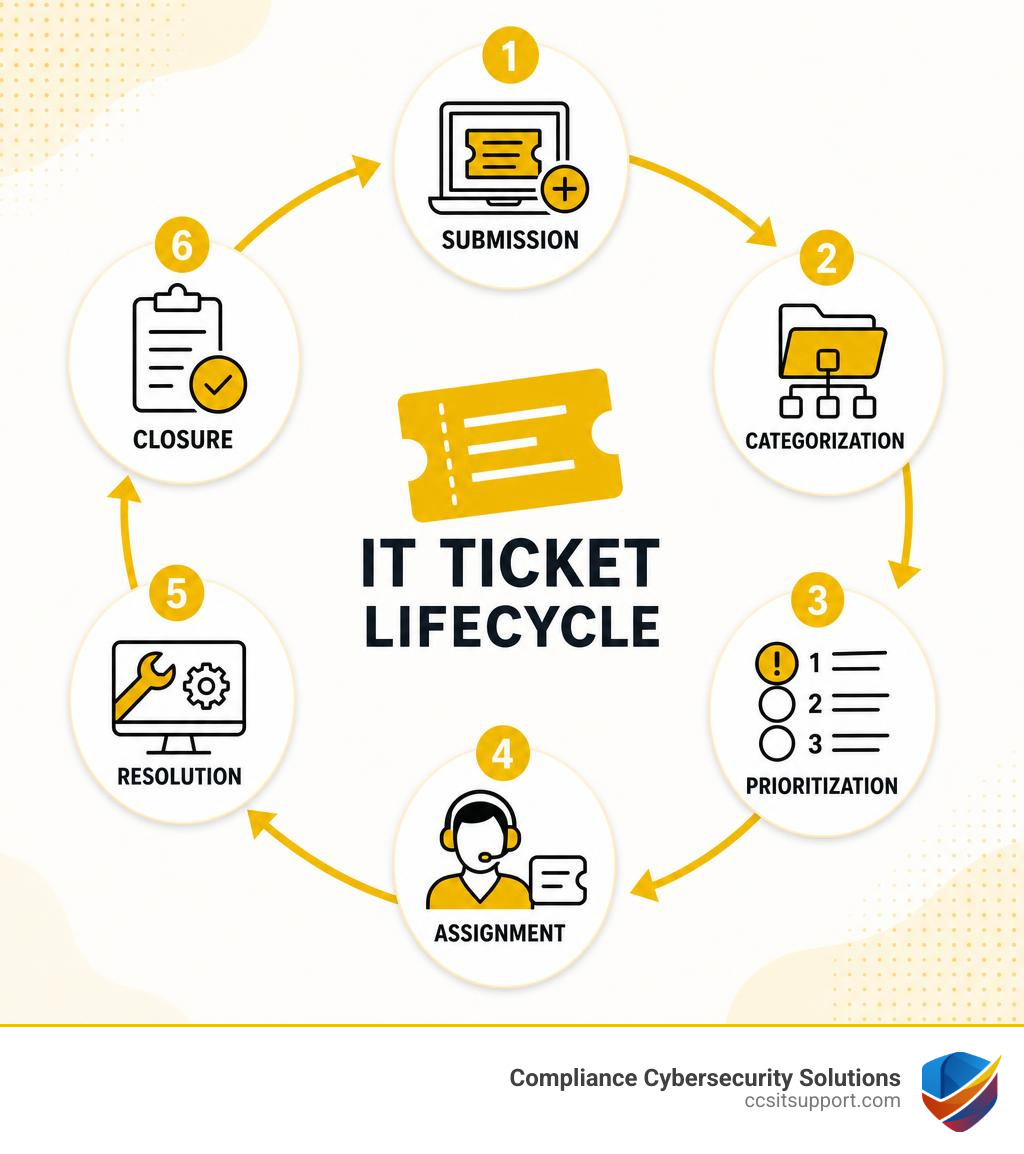
Using an organized IT Support Ticket System aligns your operations with the gold standard of IT service: the Information Technology Infrastructure Library (ITIL). When you follow ITIL Incident Management Best Practices, every ticket moves through six distinct phases:
Ticket Creation: This is the entry point. A user might submit a request through a self-service portal, send an email, start a chat, or even call the help desk. Systems like CA Service Management allow technicians to quickly Create Tickets using pre-built templates or quick profile searches to save precious seconds.
Categorization: The system automatically (or the agent manually) tags the ticket. Is it a hardware issue, a password reset, or a critical network outage? Proper categorization ensures the request lands in the right bucket.
Prioritization: Not all tickets are created equal. A printer jam is annoying; a database failure that halts medical record processing is an emergency. Prioritization uses a matrix of impact (how many people are affected) and urgency (how quickly the business operations degrade) to assign a severity level.
Ticket Assignment: Based on categorization and priority, the ticket is routed to the correct specialist. An automated system bypasses the "triage coordinator" bottleneck, sending server alerts directly to the systems administration team and desktop issues to local support.
Resolution: The technician troubleshoots, communicates with the user, documents the root cause, and applies the fix.
Closure: The user confirms the issue is resolved. The system logs the resolution time against Service Level Agreements (SLAs), closes the ticket, and often sends a quick Customer Satisfaction (CSAT) survey.
Without this structured lifecycle, requests get buried in inbox subfolders, and technicians spend more time arguing over who owns which problem than actually fixing them.
Key Features to Look For in Modern Ticketing Software
Selecting an it service desk ticketing system can feel like shopping for a new car. Every vendor claims their model has the best engine and the smoothest ride. To avoid buyer's remorse, look past the flashy marketing and focus on these core foundational features:
SLA Management: Service Level Agreements are the promises you make to your business or clients regarding response and resolution times. Your software must allow you to build custom SLA policies based on ticket priority, with automatic escalation rules that alert managers before a breach occurs.
Reporting & Analytics: You cannot manage what you do not measure. A great ticketing system provides real-time dashboards and scheduled reports on metrics like First Contact Resolution (FCR) rate, Average Resolution Time (ART), and individual technician utilization.
Mobile Accessibility: IT issues don't wait for technicians to sit down at their desks. Feature-rich mobile apps for iOS and Android ensure your team can triage, update, and resolve tickets while walking the server room floor or working remotely.
Integration Capabilities: Your ticketing tool shouldn't live on an island. It must integrate seamlessly with your broader tech stack — including remote monitoring and management (RMM) tools, endpoint security suites, and single sign-on (SSO) identity providers.
Essential Capabilities of an IT Service Desk Ticketing System
Beyond the backend administrative tools, a modern help desk must provide a friction-free experience for the end-users. The easier it is for your staff to get help, the more accurate your support data will be.
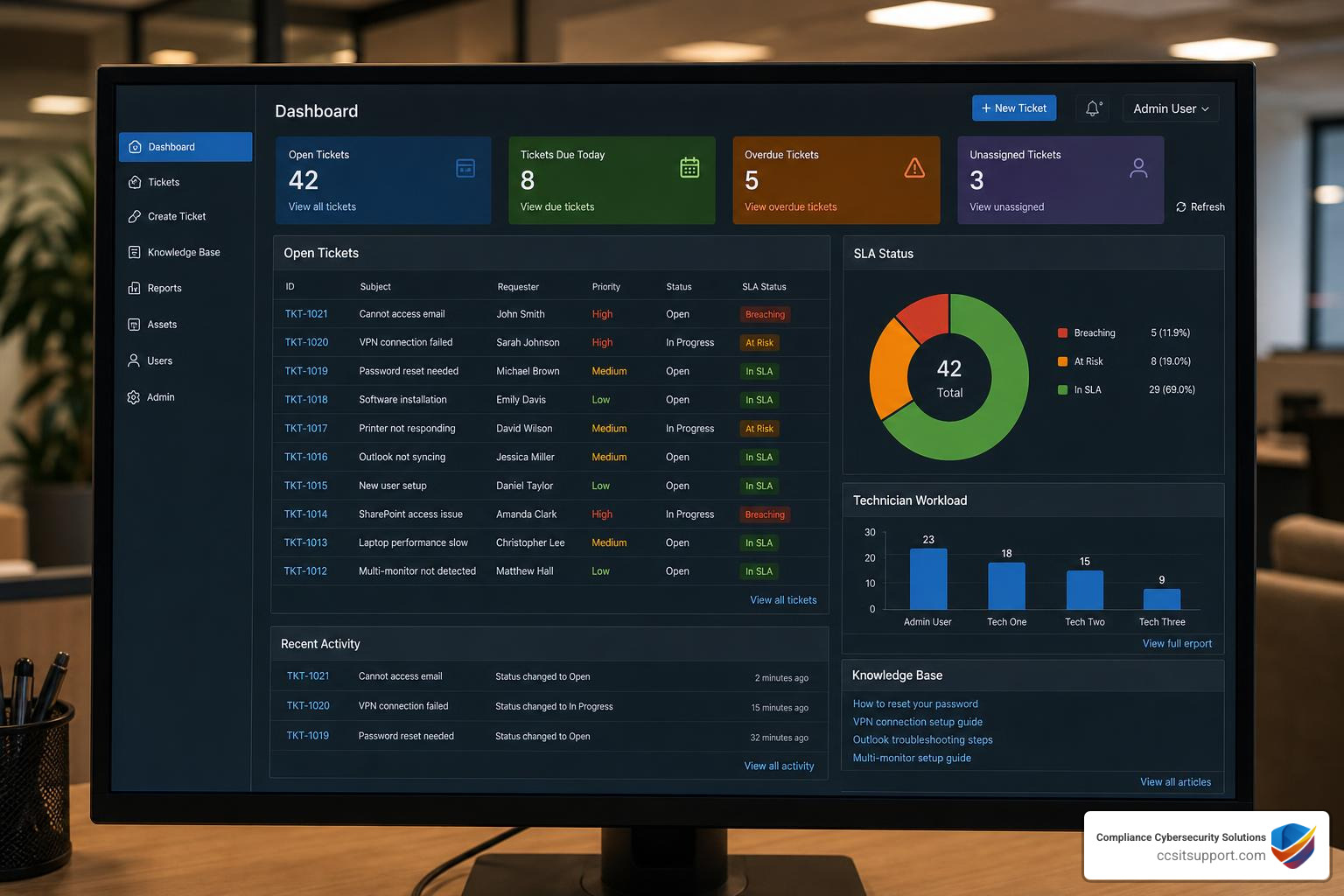
When we design comprehensive IT Service Desk Services, we look for three essential user-facing capabilities:
Omnichannel Support: Your employees work across different mediums. Your ticketing system should centralize communications from email, phone, web portals, and chat applications (like Microsoft Teams or Slack) into a single, unified inbox. For example, tools like Tikit allow users to right-click a Teams message and instantly convert it into a fully tracked support ticket.
Knowledge Base: A robust, searchable repository of self-help articles, FAQs, and step-by-step guides. By empowering users to solve their own simple issues (like connecting to the office Wi-Fi), you save your technicians from repetitive, low-value work.
Self-Service Portal: A clean, intuitive gateway where users can submit new requests, search the knowledge base, and track the real-time status of their open tickets without needing to call or email the help desk.
Advanced Automation and AI in an IT Service Desk Ticketing System
We are well past the era of simple automated email auto-responders. Today, Artificial Intelligence and advanced machine learning are fundamentally changing how IT support operates.
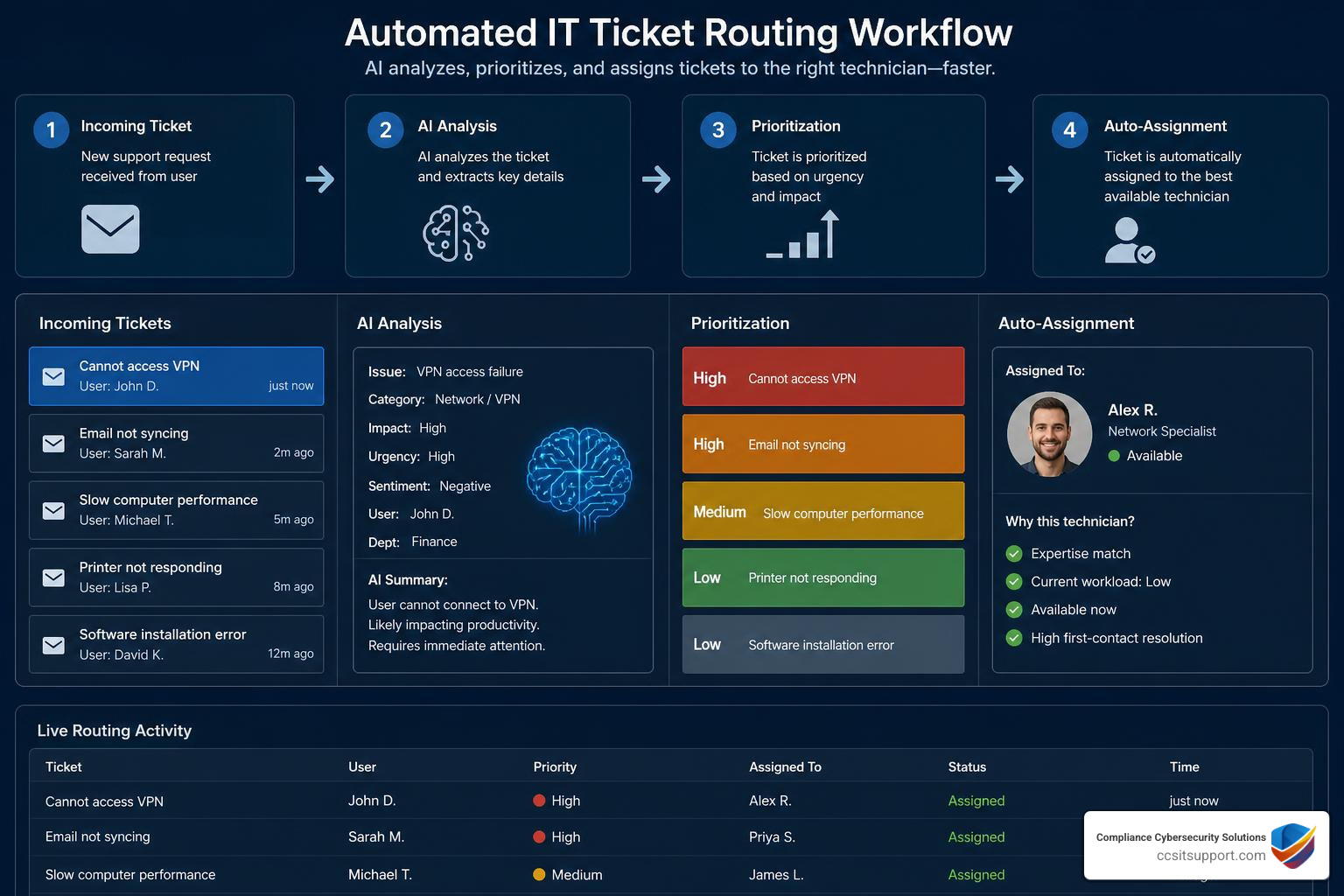
By implementing AI and Automation in IT Service Management, organizations are achieving astonishing efficiency gains. Consider these industry benchmarks:
Ticket Deflection: AI-powered virtual agents can resolve up to 66% of incoming tickets without human intervention by instantly serving up the exact knowledge base article or running automated password-reset workflows.
Generative AI & Reply Assist: Modern platforms use GenAI to summarize long, messy email chains into concise ticket descriptions, write draft responses for technicians, and even generate custom scripts for troubleshooting.
Predictive Intelligence: AI can analyze incoming ticket patterns, predict potential system outages before they happen, and automatically group related "child" tickets under a single "parent" problem ticket for streamlined resolution.
For instance, companies using Zendesk's AI-powered ticketing have seen a 50% reduction in total ticket volume and a 10% increase in CSAT scores. Major tech enterprises have even saved millions of dollars annually simply by automating their basic employee provisioning and access request workflows.
Comparing Types of Help Desk Ticketing Software
Not every business needs a massive, enterprise-grade platform. The right software type depends on your team's size, budget, and compliance mandates.
Software Type Description Pros Cons Best For SaaS (Cloud-Based) Hosted entirely by the vendor. Accessible via web browser. Rapid deployment, automatic updates, predictable subscription costs. Limited deep database access, ongoing monthly fees. Fast-growing SMBs, remote teams. On-Premises Installed locally on your own servers and managed by your IT staff. Complete data control, custom database integrations, no external hosting risks. Higher upfront cost, manual maintenance and patching. Highly regulated sectors, defense contractors. Open-Source Free software with publicly accessible source code (e.g., Znuny). Zero licensing fees, infinite customization potential. Requires dedicated development skills to maintain, no official vendor SLA. Technical teams with tight budgets. All-in-One ITSM Comprehensive suites that combine ticketing, asset, and change management. Single pane of glass, deep process alignment (ITIL). Steeper learning curve, higher cost, longer implementation times. Mid-market to enterprise companies.
If you are looking for a highly polished, cloud-native ITSM platform that balances rich features with an incredibly user-friendly interface, we highly recommend exploring the AI-Powered ITSM Platform | Simple, Scalable IT Service for Every Business offered by Freshworks. It consistently ranks as a top choice for organizations that want to see a rapid return on investment without a grueling, multi-month implementation cycle.
Best Practices for Managing IT Tickets Effectively
Simply installing a top-tier it service desk ticketing system won't solve your support woes if your processes are chaotic. To get the most out of your investment, your team should adopt these operational best practices:
Establish Clear Guidelines: Build a comprehensive IT Support Job Description and operational playbook. Every technician must know exactly how to categorize, prioritize, and document tickets consistently.
Implement Collision Detection: Ensure your ticketing software has robust "agent collision" alerts. This prevents two technicians from unknowingly working on, updating, or replying to the exact same ticket at the same time — which wastes resources and confuses the end-user.
Keep the Knowledge Base Fresh: Treat your knowledge base as a living document. When a technician solves a unique or recurring issue, require them to document the fix and publish it internally or externally.
Commit to Continuous Improvement: Regularly audit your ticket queues. Look for recurring tickets that point to larger systemic issues (like a failing network switch or outdated software) and address the root cause rather than just closing individual symptoms.
Frequently Asked Questions About IT Ticketing
What is the difference between a help desk and an ITSM platform?
While people often use these terms interchangeably, they represent different levels of operational maturity:
A help desk is tactically focused. Its primary goal is to provide rapid, reactive support to users experiencing technical issues (Incident Management). It is a component of the broader IT support ecosystem.
An ITSM (IT Service Management) platform is strategic. It aligns IT services with the overall goals of the business. It encompasses not just incident resolution, but also Change Management (ensuring system updates don't crash the network), Problem Management (finding root causes), and Asset Management.
How do ticketing systems integrate with asset management?
A modern service desk links your tickets directly to your Configuration Management Database (CMDB) or IT Asset Management (ITAM) tool. When a user submits a ticket, the system automatically pulls up their associated hardware — showing the technician the device's age, serial number, specifications, and previous repair history. This integration allows for remote troubleshooting (like initiating a reboot or pushing a patch) directly from the ticket dashboard, saving valuable diagnostic time.
Why do regulated industries need specialized ticketing workflows?
For businesses in healthcare, defense, and financial services, an IT ticket isn't just a record of a resolved issue; it is a critical piece of audit evidence.
Under regulations like HIPAA or CMMC, you must prove that only authorized personnel have access to systems containing sensitive data (like protected health information or controlled unclassified information). A specialized ticketing workflow enforces strict access controls, logs detailed change approvals, and provides an immutable audit trail showing exactly who requested access, who approved it, and when the change was completed.
Conclusion
Selecting, configuring, and maintaining the ideal it service desk ticketing system is a massive undertaking. For businesses located right here in Florida, finding local, specialized expertise can make all the difference in your daily operations. Having a responsive, local IT help desk ensures your teams stay productive and your systems remain secure without the delays of offshore support.
At Compliance Cybersecurity Solutions (CCS), we take IT support a step further. Headquartered in Fort Lauderdale, we don't just fix broken computers; we specialize in delivering co-managed and fully managed IT support tailored specifically for regulated industries across Florida.
We align your entire IT infrastructure with complex compliance frameworks like HIPAA and CMMC 2.0 using comprehensive policies, layered security, and state-of-the-art threat detection. Plus, as a growing Florida-based team, we are always on the lookout for local talent to join us — you can explore our open roles on our IT Support Jobs in Florida page.
Ready to transform your IT service desk from a source of daily frustration into a secure, compliant, and highly automated asset? Let us do the heavy lifting.