

Stop the Chaos with a Top Tier IT Support Ticket System
The Fastest Way to Find the Right IT Support Ticket System
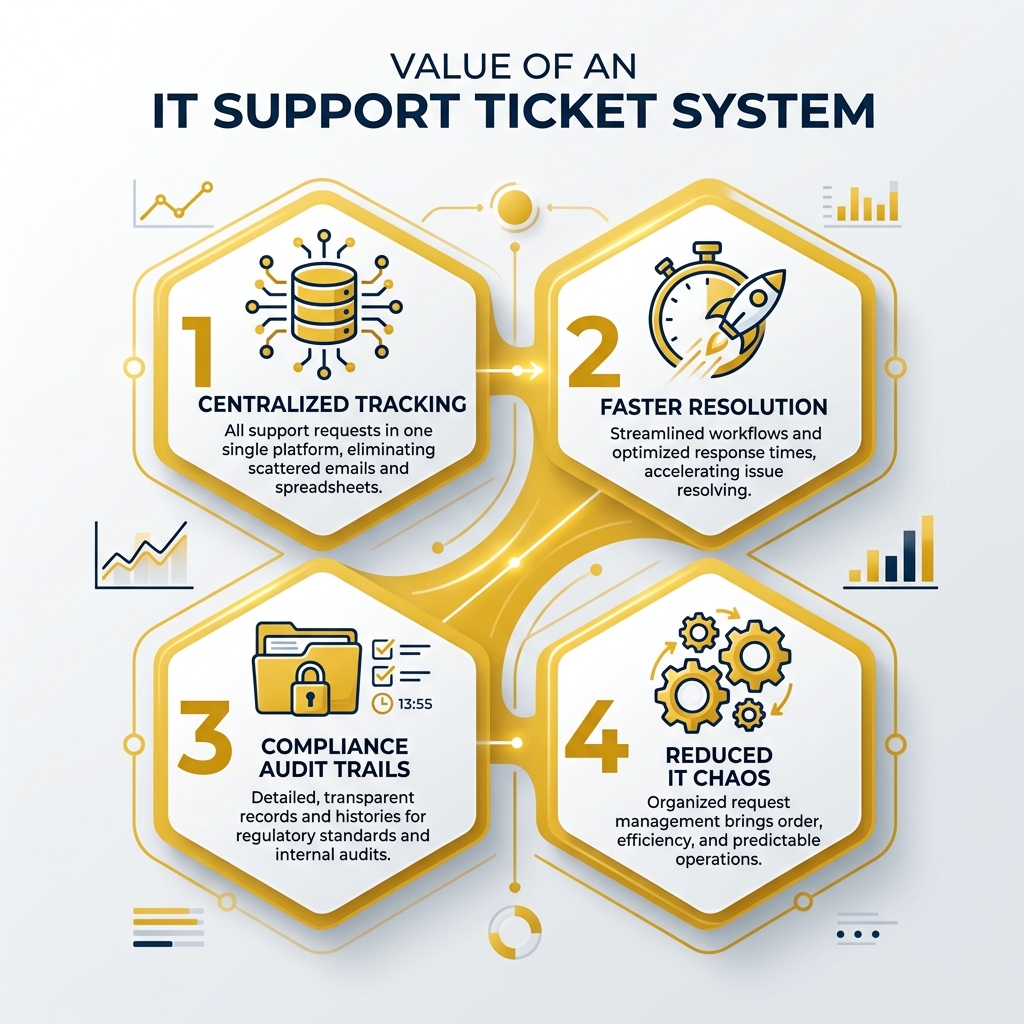
Quick answer: An IT support ticket system is software that captures, tracks, and resolves IT issues in one centralized place — replacing scattered emails and spreadsheets with a structured workflow.
Here are the top IT ticketing tools compared at a glance:
Tool Best For Free Plan AI Features Zendesk Customer + IT support at scale No (trial only) Yes Freshservice ITSM with ITIL alignment No (trial only) Yes (Freddy AI) SysAid Generative AI-driven help desk No Yes (Copilot) Jira Service Management Dev and IT teams Yes (limited) Yes ServiceNow Enterprise ITSM No Yes Spiceworks Small IT teams on a budget Yes (free forever) Limited osTicket Open-source, self-hosted Yes (open-source) No
If your IT team is still juggling support requests through email threads or spreadsheets, things will eventually break down — and in regulated industries like healthcare or defense, that chaos can turn into a compliance liability fast.
The right ticketing system brings order, accountability, and speed to IT support. According to research from Forrester, companies that adopted the right platform achieved an average ROI of 301% over three years — and teams reported up to 61% faster reply times with better agent tools.
This guide compares the leading options so you can choose the one that fits your team's size, compliance requirements, and budget.
I'm Michael Gaigelas II, and I've spent years helping organizations in healthcare, defense, and finance implement the right IT support ticket system as part of a broader compliance and cybersecurity strategy — including frameworks like CMMC 2.0, HIPAA, and ISO 27001. That hands-on experience gives me a practical lens for evaluating which tools actually hold up under real-world IT and compliance pressure.
Understanding the IT Support Ticket System Lifecycle
To understand why an it support ticket system is so vital, we first have to look at what an "IT ticket" actually is. Think of a ticket as a digital "file" or a "passport" for a problem. It contains everything our team needs to know: who is having the issue, what the technical details are, when it started, and how urgent it is.
Without a system, requests vanish into the "email abyss." With a system, every request follows a structured path known as the ticket lifecycle.
The Stages of a Ticket
Creation: A user submits a request via email, a portal, or even a chat message. The system automatically generates a unique ID.
Categorization & Prioritization: The system (or a human dispatcher) labels the ticket (e.g., "Network Issue" or "Password Reset") and assigns a priority level. This ensures that a server crash gets handled before a request for a new mouse.
Assignment: The ticket is routed to the right technician. For example, hardware issues go to the desktop team, while permission issues go to the security admins.
Resolution: The technician works on the issue, documenting every step taken. This creates a "paper trail" that is essential for IT resources and knowledge sharing.
Closure: Once the user confirms the fix, the ticket is closed. The data is then stored for reporting and future audits.
Essential Features of an IT Support Ticket System
A "top tier" system isn't just a digital inbox; it's a powerhouse of efficiency. When we evaluate tools for our clients in Florida, we look for several "must-have" features:
Omnichannel Support: This allows users to reach out however they are most comfortable—email, phone, Slack, Microsoft Teams, or a web portal—while keeping all the conversation history in one single thread.
Self-Service Portal: Many common issues (like password resets) can be solved by the users themselves if they have access to a well-organized knowledge base. This deflects up to 66% of simple tickets, freeing up technicians for complex work.
SLA Tracking: Service Level Agreements (SLAs) are promises made to the business about how fast we will respond. A good system has built-in timers that alert managers if a ticket is sitting for too long.
Reporting & Analytics: You can't improve what you can't measure. We need to see which types of issues are recurring so we can fix the root cause, not just the symptom.
AI and Automation Enhancements
The "cool kids" in the IT world are now using Generative AI to make ticketing even faster. Modern systems use AI "Copilots" or "Agents" to:
Auto-Triage: AI can read an incoming email and instantly categorize it with higher accuracy than a human doing it in a rush.
Draft Responses: AI can suggest a fix to the technician based on how similar tickets were solved in the past.
Chatbot Resolution: AI chatbots can hold a full conversation with an employee in Microsoft Teams and resolve the issue without a human ever getting involved.
Strategic Benefits for Growing Organizations
For a growing business, especially one in a regulated field, an it support ticket system is more than just a convenience—it's a strategic asset. When IT is organized, the whole company moves faster.
Boosting Productivity with an IT Support Ticket System
The math is simple: better tools lead to faster resolutions. Research shows that teams can drive 61% faster reply times simply by giving agents a unified workspace where they don't have to "swivel-chair" between five different apps.
By automating ticket assignment and routing, we eliminate the "manual bottleneck" where tickets sit in a general queue waiting for a human to notice them. This can lead to a 45% improvement in workflow automation. When we reduce backlogs and misdirected tickets, our technicians are happier, and our cybersecurity posture is stronger because we have more time to focus on threats.
Beyond IT: Enterprise Service Management
One trend we are seeing more of in Florida is using the it support ticket system for other departments. This is called Enterprise Service Management (ESM).
HR: New employee onboarding requests.
Facilities: Fixing a leaky pipe or a broken light.
Finance: Processing expense reports or purchase orders.
By using one system for all internal requests, employees get a unified experience. They don't have to wonder, "Who do I email for this?" They just go to the portal and ask.
Comparing Software Categories: Finding Your Best Fit
Not every system is built for every business. Some are like Swiss Army knives (good for everything), while others are like industrial power saws (built for heavy-duty enterprise work).
Feature Basic Ticketing System Full ITSM Platform Primary Focus Resolving individual incidents Managing the entire IT service lifecycle Complexity Low - Easy to set up High - Requires specialized training ITIL Alignment Minimal High (Problem, Change, Release Mgmt) Best For Small to Mid-sized businesses Large enterprises or highly regulated firms
Free vs. Paid and Open-Source
If budget is a major concern, there are several free ticketing systems available.
Spiceworks offers a free-forever cloud plan that is great for small teams that need asset tracking alongside ticketing.
osTicket is a popular open-source option for those who want to host the software themselves and have total control over the code.
EngageBay and Zoho Desk offer free tiers for very small teams (usually under 3-15 users).
However, "free" often comes with a hidden cost: your time. Paid systems like Zendesk or Freshservice offer much more out-of-the-box automation, which usually pays for itself in saved labor costs within months.
Integration and Scalability
Your ticketing system shouldn't be an island. It needs to talk to your other tools. We always look for:
CRM Sync: So IT knows exactly which client or department is calling.
Asset Tracking: Automatically linking a ticket to the specific laptop or server that is broken.
Mobile Accessibility: So our field technicians can update tickets while they are on-site at a client's office.
Implementation Best Practices and Security
Setting up the software is only half the battle. To "stop the chaos," you need clear rules.
Define Your "Buckets": Don't have 50 different categories. Keep it simple so users and agents don't get confused.
Document Everything: Every resolution should be turned into a knowledge base article. If you fix a problem once, you should never have to "figure it out" again.
Continuous Improvement: Review your analytics monthly. If 40% of your tickets are about "VPN issues," it’s time to look at your VPN configuration, not just keep resetting passwords.
Security and Compliance Considerations
This is where we at CCS focus the most. In regulated industries, your it support ticket system is a goldmine of sensitive data. It contains employee names, system vulnerabilities, and sometimes even passwords (though they shouldn't!).
To remain compliant with standards like HIPAA or CMMC, your system must have:
Multi-Factor Authentication (MFA): To ensure only authorized technicians can access the data.
Encryption: Data must be encrypted both while it's sitting on the server and while it's traveling over the internet.
Audit Logs: You must be able to prove who looked at what and when. This is non-negotiable for a HIPAA audit.
Access Controls: Technicians should only see the tickets they are assigned to, following the principle of "least privilege."
Frequently Asked Questions about IT Support Ticket Systems
What is the difference between a help desk and a ticketing system?
While people use the terms interchangeably, a ticketing system is the specific software tool used to manage requests. A help desk is the actual team of people who use that tool to provide support. You can have a help desk without a ticketing system (though it will be chaotic!), but you can't really have a modern ticketing system without a support team.
Can a ticketing system be used for non-IT departments like HR?
Absolutely. As mentioned earlier, this is called Enterprise Service Management (ESM). It’s a great way to give your employees a "one-stop-shop" for any help they need, whether it's a broken laptop or a question about their benefits.
How does AI improve ticket resolution times?
AI helps in three main ways:
Deflection: Solving the problem via a chatbot before a human has to touch it.
Assistance: Giving the technician the right answer immediately so they don't have to spend 20 minutes researching.
Automation: Handling the "busy work" like routing, tagging, and closing tickets so humans can focus on the actual fixing.
Conclusion
Stopping the chaos in your IT department starts with centralizing your communication. Whether you choose a lightweight free tool or a heavy-duty enterprise platform, the goal is the same: accountability, visibility, and speed.
At Compliance Cybersecurity Solutions (CCS), we don't just "fix computers." We help businesses in Fort Lauderdale and throughout Florida align their IT support with the strict requirements of their industry. By combining a top-tier it support ticket system with layered security and proactive threat detection, we ensure your team stays productive and your data stays secure.
Ready to move from IT chaos to a streamlined, compliant operation? Get started with professional IT support today.