

Cloud Security 101: HIPAA Compliance Essentials
Why HIPAA Cloud Security Is Critical for Healthcare Organizations
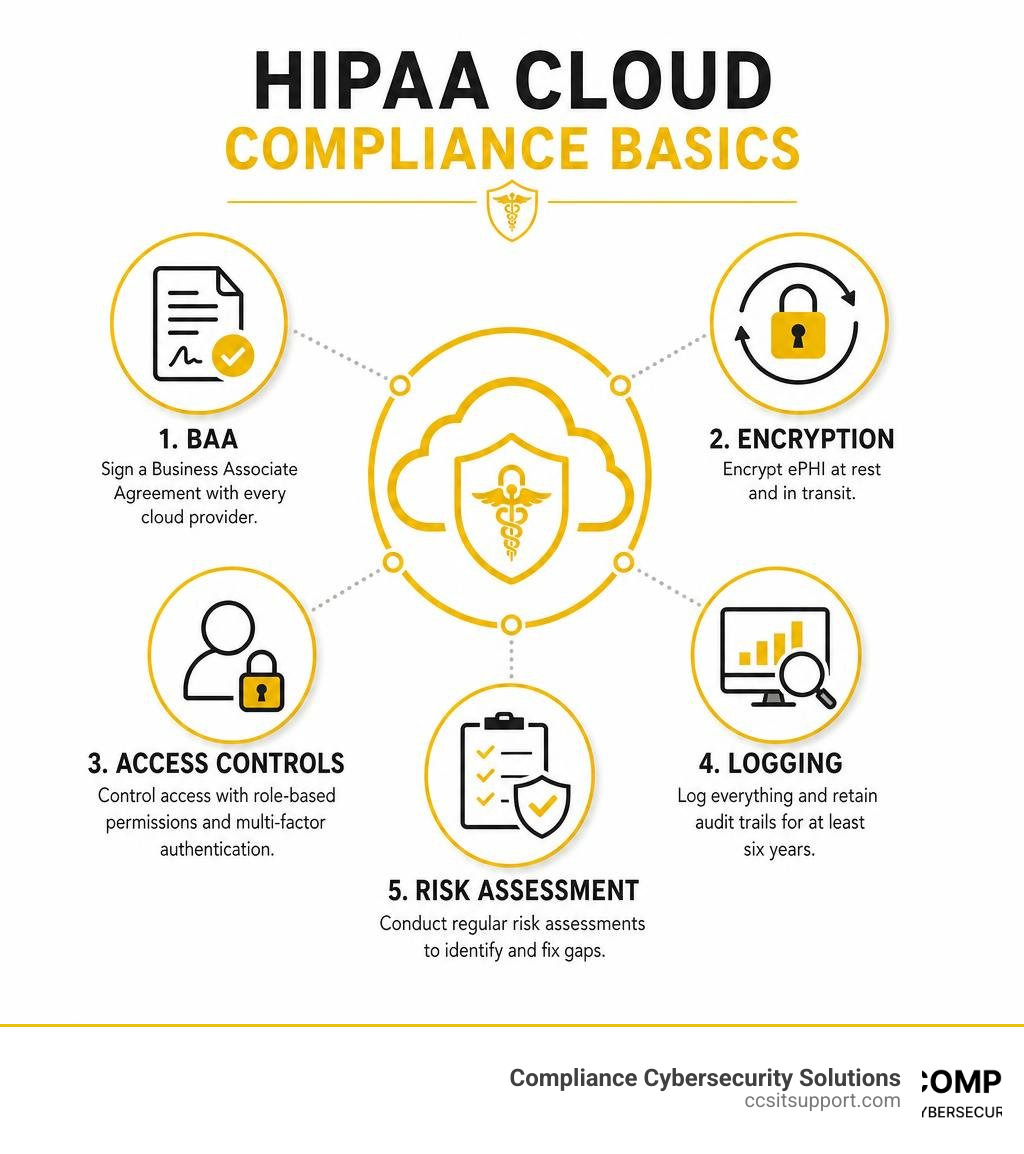
HIPAA cloud security is a set of technical, administrative, and physical safeguards that healthcare organizations must apply when storing or processing patient data in the cloud. Here's what you need to know at a glance:
Sign a BAA with every cloud provider that touches patient data
Encrypt ePHI at rest and in transit — always
Control access with role-based permissions and multi-factor authentication
Log everything and retain audit trails for at least six years
Conduct regular risk assessments to find and fix gaps before regulators do
No cloud platform is HIPAA compliant by default — configuration is your responsibility
Healthcare organizations are moving fast to the cloud. The cost savings, flexibility, and scalability are hard to ignore. But speed without structure creates serious risk.
In 2023 alone, 725 breaches exposed over 133 million health records. The average healthcare data breach now costs $10.1 million. And many of these incidents trace back to something preventable — a misconfigured storage bucket, a missing agreement with a vendor, or logging that was never turned on.
The challenge is real: HIPAA sets strict rules for protecting electronic protected health information (ePHI), but it doesn't hand you a cloud configuration manual. It's on you to bridge that gap.
I'm Michael Gaigelas II, founder of Compliance Cybersecurity Solutions, and I've spent my career guiding healthcare and regulated-industry clients through exactly this challenge — building HIPAA cloud security programs that hold up under OCR scrutiny without breaking the budget. This guide gives you the practical foundation to do the same.
Understanding HIPAA Cloud Security and Regulatory Rules

To secure our systems, we first need to understand the rules of the road. The Health Insurance Portability and Accountability Act (HIPAA) isn't just one big, scary document designed to keep healthcare compliance officers awake at night. It is a structured framework built on three primary pillars, each of which applies directly to how we store, process, and manage data in cloud environments.
The Privacy Rule
The HIPAA Privacy Rule establishes national standards for the protection of individually identifiable health information. In the cloud, this means we must tightly control who has authorization to view or edit patient data. The Privacy Rule also mandates that we only disclose the minimum necessary information required to perform a specific function. If your cloud-based billing application has full access to clinical patient charts when it only needs access to billing codes, you are likely violating the "minimum necessary" standard.
The Security Rule
While the Privacy Rule focuses on who can access the data, the Security Rule focuses on how we protect it. This is where the rubber meets the road for hipaa cloud security. The Security Rule is divided into three types of safeguards:
Administrative Safeguards: Policies, procedures, and training. This includes performing regular risk analyses and establishing clear workforce training programs.
Physical Safeguards: Protecting the actual physical hardware. In a cloud setup, this responsibility is largely shifted to the Cloud Service Provider (CSP) who secures their physical data centers.
Technical Safeguards: The technology we use to protect ePHI. This includes encryption, unique user identification, emergency access procedures, and audit controls.
For a deeper dive into protecting your infrastructure, check out our guide on HIPAA Cybersecurity Best Practices.
The Breach Notification Rule
If the worst happens and unsecured ePHI is exposed, the Breach Notification Rule dictates how and when we must notify affected individuals, the Department of Health and Human Services (HHS), and—in some cases—the media. Under federal guidelines, breaches affecting 500 or more individuals must be reported within 60 days of discovery.
However, there is a major "get out of jail free" card here: the safe harbor provision. If your ePHI is fully encrypted to NIST standards both at rest and in transit, and you lose access to it or it is taken, it is not considered "unsecured." This means you may not have to trigger the costly and reputation-damaging public breach notification process.
For official, detailed regulatory context, you can review the HHS Cloud Guidance. If you are operating a practice locally, it is also essential to cross-reference local expectations and state-specific requirements to ensure your compliance program is fully aligned.
The Shared Responsibility Model in HIPAA Cloud Security
One of the most common—and dangerous—myths in healthcare IT is that moving to a massive public cloud provider like Amazon Web Services (AWS), Microsoft Azure, or Google Cloud Platform (GCP) automatically makes you HIPAA compliant.
Let's clear this up right now: No cloud platform is inherently HIPAA compliant.
Cloud providers operate under a Shared Responsibility Model. To put it simply: the CSP is responsible for the security of the cloud, while you (the healthcare organization or Covered Entity) are responsible for security in the cloud.
Security Dimension Cloud Service Provider (CSP) Responsibility Healthcare Organization (Customer) Responsibility Physical Security Data center access, security guards, cameras, power redundancy N/A (Fully managed by CSP) Infrastructure Hardware Server maintenance, physical storage devices, hypervisor security N/A (Fully managed by CSP) Data Encryption Providing encryption tools and capability (e.g., KMS, TLS options) Enforcing encryption policies, managing keys, configuring TLS Identity & Access (IAM) Providing IAM frameworks, MFA capabilities, role configurations Creating user accounts, enforcing MFA, setting up least-privilege roles Operating Systems & Apps Patching host OS (in PaaS/SaaS models) Patching guest OS (in IaaS), securing custom application code Logging & Monitoring Generating infrastructure logs Enabling logs, centralizing audit trails, retaining logs for 6 years
Covered Entities vs. Business Associates
Under HIPAA, a Covered Entity is any healthcare provider, health plan, or healthcare clearinghouse that transmits health information electronically.
A Business Associate is any person or entity that performs functions or activities on behalf of a Covered Entity that involve the use or disclosure of ePHI. When you host patient data with a cloud provider, that CSP is legally considered a Business Associate.
The Mandatory Business Associate Agreement (BAA)
Because the CSP is a Business Associate, you are legally required to sign a Business Associate Agreement (BAA) before you transmit a single byte of ePHI to their servers. A BAA is a contract that outlines the CSP's legal obligations under HIPAA to protect your data.
If you use a cloud provider without a BAA, you are in immediate violation of HIPAA, regardless of how secure your technical settings are. The Office for Civil Rights (OCR) has zero tolerance for this. In fact, OCR entered into a major resolution agreement and corrective action plan with a covered entity that stored the ePHI of over 3,000 individuals on a cloud-based server without first securing a BAA with the provider.
The Myth of the "Conduit Exception"
Some cloud providers may try to claim they are exempt from signing a BAA under the "conduit exception." The conduit exception is reserved for services that solely transmit data without storing it, like the US Postal Service or internet service providers (ISPs).
CSPs do not qualify as conduits. Even if a cloud provider only stores encrypted ePHI and does not have the decryption keys (meaning they have a "no-view" service and cannot read the data), they are still considered a Business Associate. The persistent storage of ePHI makes them a custodian of the data, meaning a BAA is mandatory.
When configuring these environments, we highly recommend utilizing professional HIPAA Security Consulting to ensure your shared responsibility boundaries are properly mapped. You can also read more about how major platforms handle their side of the bargain by visiting AWS HIPAA Compliance.
Essential Technical Controls for Securing ePHI in the Cloud

Now that we understand the legal and operational boundaries, let's talk about building the actual technical walls to protect our patients' data. When designing a cloud architecture, we must treat compliance not as a static checkbox, but as an ongoing engineering discipline.
A great starting point is establishing a clear data classification policy. Not all data in your cloud is ePHI. Marketing materials, public website files, and anonymized statistics do not require the same level of security as patient diagnostic records. By classifying your data, you can apply your strongest controls where they matter most, saving time and resources.
Furthermore, we must ensure high availability and robust disaster recovery. The HIPAA Security Rule requires us to establish policies and procedures for responding to emergencies. In the cloud, this means:
Automated, Encrypted Backups: Backups should run automatically and be stored in a separate, secure cloud region or account.
Disaster Recovery (DR) Testing: Don't just set up backups and hope for the best. Periodically test your recovery process to ensure you can restore clinical operations quickly in the event of a ransomware attack or outage.
For practical guidance on building these platforms, we recommend reviewing our checklist on HIPAA Compliant Computer Security.
Implementing Encryption and Access Controls for HIPAA Cloud Security
When it comes to hipaa cloud security, two technical safeguards stand above all others: keeping unauthorized people out (access controls) and making the data unreadable if they do get in (encryption).
1. Layered Encryption
You must encrypt ePHI in two distinct states:
Data in Transit: Any data moving across the internet or even within your internal cloud network must be encrypted using secure protocols like TLS 1.2 or TLS 1.3.
Data at Rest: Any data sitting on virtual hard drives, databases, or object storage buckets must be encrypted using strong standards, such as AES-256.
To take your data security to the next level, we recommend envelope encryption. This pattern involves encrypting your data with a unique data encryption key (DEK), and then encrypting that DEK with a master key managed by your Key Management Service (KMS). This ensures that even if someone gains access to your database, they cannot decrypt the data without separate, tightly controlled permissions to the KMS.
2. Robust Access Controls
Passwords alone are no longer enough to protect sensitive health systems. To secure your cloud console and applications, you must implement:
Multi-Factor Authentication (MFA): Mandate MFA for every single user, especially administrators and clinical staff accessing ePHI.
Role-Based Access Control (RBAC): Define clear user roles (e.g., doctor, nurse, billing administrator) and grant access based on the principle of least privilege. A billing admin should never have access to medical imaging files, and a developer debugging an application in the middle of the night should not have broad administrative permissions to production databases.
Logging and Monitoring for Proactive HIPAA Cloud Security
If a security incident occurs in your cloud environment and you don't have logs, did it really happen? According to regulators, yes—and you'll be penalized heavily for not knowing the details.
Complete Audit Trails
You must log all key events within your cloud environment. This includes tracking who logged in, what data they accessed, when they modified a resource, and any failed authorization attempts. Under HIPAA, you should retain these audit logs for at least six years. Because default cloud logging settings rarely retain data this long, you must configure automated log exports to immutable, long-term storage buckets.
Real-Time SIEM and Threat Detection
To make sense of thousands of log entries, we recommend deploying a Security Information and Event Management (SIEM) tool. A SIEM aggregates logs from your cloud infrastructure, applications, and identity providers to detect anomalous patterns in real-time. For example, if a billing user suddenly attempts to download 5,000 patient records at 3:00 AM from an unfamiliar IP address, your SIEM should immediately flag this activity and alert your security team.
File Integrity Monitoring (FIM) and Drift Detection
Cloud environments are dynamic. Developers make updates, and configurations change. To maintain compliance, you must implement:
File Integrity Monitoring (FIM): To detect unauthorized changes to critical system files or configurations.
Drift Detection: To continuously scan your infrastructure against your secure, compliant baseline. If a storage bucket accidentally becomes "publicly readable" during a routine update, drift detection tools will spot the error and can automatically revert the setting to "private."
Continuous Monitoring, Auditing, and Compliance Maintenance
Compliance is not a one-time event; it is a continuous cycle. The moment you deploy a new feature, update an API, or onboard a new third-party tool, your compliance posture changes.
To maintain a secure state, we must implement a proactive compliance program:
Regular Risk Assessments: Conduct a comprehensive risk analysis annually, or whenever you make significant changes to your cloud architecture. This helps identify new vulnerabilities before they can be exploited.
Vulnerability Management: Run automated scans across your cloud resources, container images, and virtual machines to identify and patch known software vulnerabilities.
Penetration Testing: Hire independent security experts to simulate real-world cyberattacks against your cloud infrastructure to find hidden weaknesses.
Compliance Automation (Policy-as-Code): Instead of relying on manual audits, write your compliance rules directly into your deployment pipelines. By using policy-as-code, you can automatically block developers from launching non-compliant infrastructure (like unencrypted databases) before it ever goes live.
To ensure your program meets federal standards, consider utilizing professional HIPAA Compliance Audit Services. You can also learn how specific platforms facilitate continuous auditing by reviewing the guide on Google Cloud HIPAA.
Frequently Asked Questions about HIPAA Cloud Security
Is a cloud provider HIPAA compliant by default?
No. There is no such thing as a "HIPAA-compliant cloud" out of the box. While major providers like AWS, Azure, and Google Cloud are HIPAA-eligible—meaning they provide the security tools and infrastructure necessary to support compliance—it is entirely up to you to configure those services correctly. If you leave a storage bucket open to the public or fail to enable encryption, your environment will not be compliant.
Is a BAA required if the cloud provider only stores encrypted ePHI?
Yes. Under HHS guidelines, any cloud provider that maintains, stores, or transmits ePHI on behalf of a Covered Entity is considered a Business Associate. This remains true even if the provider has no access to the decryption keys and cannot read the data. A signed Business Associate Agreement (BAA) is always legally mandatory.
What are the penalties for HIPAA cloud security violations?
Penatlies for HIPAA violations are structured based on your level of negligence. They range from $100 to $50,000 per violation, with annual caps that can reach up to $1.5 million per violation category. If the OCR finds that an organization displayed "willful neglect" by failing to sign a BAA or ignoring basic security safeguards, the penalties are much higher and can even carry criminal liability for executives.
Conclusion
Securing patient data in the cloud doesn't have to be an overwhelming hurdle that stalls your organization’s innovation. By understanding the Shared Responsibility Model, executing proper BAAs, and enforcing strict technical safeguards like encryption, MFA, and continuous logging, you can confidently leverage the power of the cloud.
At Compliance Cybersecurity Solutions, we specialize in taking the guesswork out of healthcare IT. Based in Fort Lauderdale, Florida, we align your cloud infrastructure with HIPAA, state regulations, and industry best practices through layered security controls and proactive threat detection.
Ready to secure your cloud environment and ensure your practice is fully protected? Let us handle the heavy lifting. Explore our professional Compliance Services or reach out to our team today to schedule your cloud readiness assessment.