

Secure Your PC the HIPAA Way
Why HIPAA Compliant Computer Security Is Not Optional for Healthcare Organizations
HIPAA compliant computer security means implementing the administrative, physical, and technical safeguards required by the HIPAA Security Rule to protect electronic protected health information (ePHI) on every device your organization uses.
Here is what that looks like in practice:
Requirement What You Must Do Access Control Unique logins, role-based permissions, MFA Encryption AES-256 at rest, TLS 1.2+ in transit Audit Controls Log all ePHI access and review regularly Physical Security Screen locks, privacy screens, secured workstations Risk Assessments Conduct annually or after major system changes Workforce Training Train staff on security policies and real-world threats
Your computer is not just a work tool. In healthcare, it is a potential entry point to some of the most sensitive data that exists — patient records, diagnoses, and billing information. A single unsecured laptop can trigger a reportable breach, a federal investigation, and fines reaching $50,000 per violation.
The stakes are real. In 2025, BayCare Health System paid an $800,000 settlement for failing to review system activity logs. That same year, Syracuse ASC paid $250,000 for unencrypted devices and weak access controls. These were not sophisticated attacks — they were preventable gaps in basic computer security hygiene.
I'm Michael Gaigelas II, and I've spent my career helping healthcare organizations and other regulated industries implement HIPAA compliant computer security frameworks — from risk assessments and endpoint hardening to full compliance remediation. In this guide, I'll walk you through exactly what you need to do to secure your computers, stay compliant, and avoid costly penalties.
Understanding the HIPAA Security Rule for Computers
To get your computers up to snuff, we first have to look at the "law of the land": the HIPAA Security Rule. Codified under 45 CFR Part 160 and Subparts A and C of Part 164, this rule was designed to be flexible and technology-neutral. This means the government doesn't tell you exactly which brand of laptop to buy, but they do demand that any device handling electronic Protected Health Information (ePHI) meets specific security standards.
The Security Rule was significantly beefed up by the HITECH Act in 2009 and the Omnibus Rule in 2013. These updates made it clear that "oops, I didn't know" is no longer a valid legal defense. They also extended direct liability to Business Associates—the third-party vendors who help you run your business.
At its core, the Security Rule protects the Confidentiality, Integrity, and Availability of ePHI. If a hacker steals it (loss of confidentiality), a virus changes the data (loss of integrity), or ransomware locks you out of your files (loss of availability), you’ve got a HIPAA problem on your hands.

Who Must Comply with Computer Security Standards?
If your business touches patient data in Florida, you likely fall into one of two buckets:
Covered Entities: This includes healthcare providers (doctors, dentists, pharmacies), health plans, and healthcare clearinghouses. If you transmit health information electronically, you're in.
Business Associates: These are the folks who provide services to covered entities. Think IT contractors, cloud storage providers, and third-party billing companies.
Under the Omnibus Rule, Business Associates are just as responsible for hipaa compliant computer security as the doctors they serve. If you're unsure where you stand, our compliance services can help you map out your legal obligations.
The Role of Administrative and Physical Safeguards
Before we dive into the "techy" stuff like encryption, we have to talk about the foundation. You can have the most expensive firewall in the world, but if your receptionist leaves a sticky note with their password on the monitor, your security is zero.
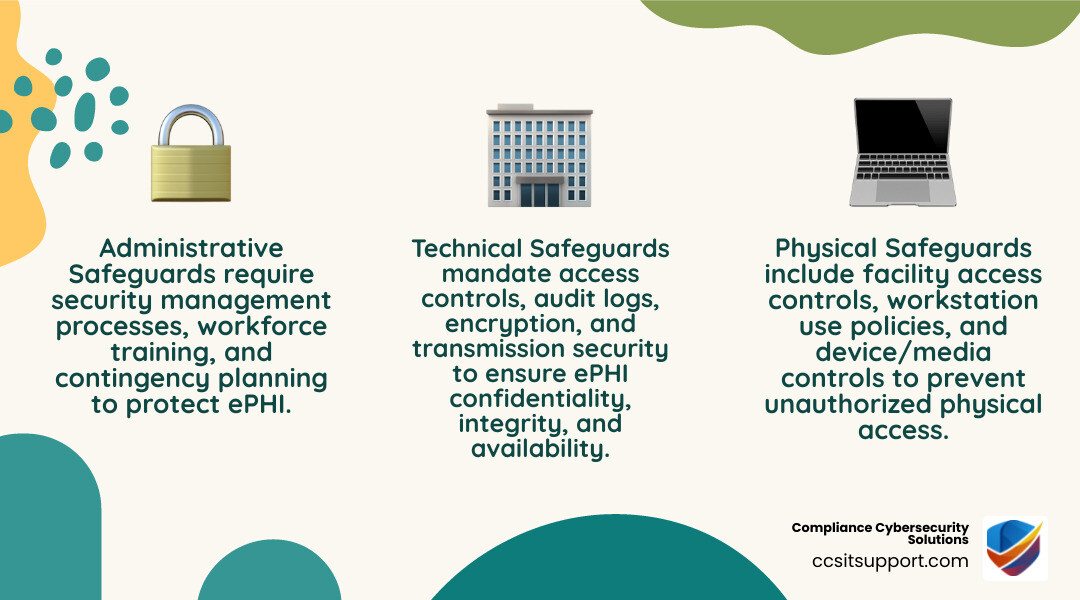
Administrative Safeguards: This is the "brain" of your operation. It involves designating a security official, conducting workforce training, and performing regular risk management. According to the NIST HIPAA Resource Guide, administrative safeguards are often considered the backbone of a successful compliance strategy.
Physical Safeguards: This is about "locks and blocks." You must control facility access and ensure workstations are positioned so that unauthorized people (like patients in a waiting room) can’t see the screens. This often involves using privacy screens and physical cable locks for laptops.
Essential Technical Safeguards for HIPAA Compliant Computer Security
Technical safeguards are the software and hardware settings that protect ePHI. These are divided into "Required" specifications (you must do them) and "Addressable" specifications (you must do them OR document why you chose an equivalent alternative). In our experience, almost every "addressable" item is effectively required if you want to stay out of the OCR's crosshairs.
Implementing Robust Access and Audit Controls
Access control is about making sure only the right people can see the data. This starts with Unique User Identification. No more sharing a "FrontDesk" login! Every person needs their own username and a strong, unique password.
We also highly recommend:
Emergency Access Procedures: What happens if the power goes out or the main admin is unavailable? You need a documented way to get to ePHI during an emergency.
Automatic Logoff: Computers should lock themselves after a period of inactivity (usually 5 to 15 minutes).
Audit Controls: This is where many Florida practices fail. You must implement hardware or software that records and examines activity in systems that contain ePHI. It's not enough to just turn on the logs; you have to review them. A Texas hospital learned this the hard way with a $3 million fine in 2021 because they didn't notice unauthorized access for over six months.
If you need help setting up these monitoring systems, our cybersecurity solutions are designed to handle the heavy lifting of log management and threat detection.
Encryption Standards for Healthcare Devices
Encryption is the process of scrambling data so that only someone with the "key" can read it. Under the Technical Safeguards Guidance from HHS, encryption is technically "addressable," but let's be blunt: if a laptop is stolen and it wasn't encrypted, you are almost certainly looking at a reportable breach and a fine. If it was encrypted, it might not even count as a breach.
Encryption Type Standard Tools At Rest (on the hard drive) AES-256 BitLocker (Windows), FileVault (Mac) In Transit (moving over the web) TLS 1.2 or 1.3 VPNs, Secure Email, HTTPS
Step-by-Step Guide to Securing Your Workstations and Laptops
Now, let's get practical. How do you actually make a computer HIPAA compliant? Follow these steps to harden your endpoints.
Start with a Risk Assessment: You can't fix what you don't know is broken. Identify where ePHI lives on your network. Is it on local hard drives? In the cloud? On a server in the closet?
Enable Multi-Factor Authentication (MFA): Passwords are no longer enough. MFA (usually a code sent to a phone or an app) adds a second layer of defense.
Patch Management: Software updates aren't just for new features; they fix security holes. Set your OS and apps to update automatically.
Install EDR: Standard antivirus is "so 2010." Use Endpoint Detection and Response (EDR) to monitor for suspicious behavior in real-time. Check our resources for healthcare IT for more on modern threat detection.
Hardening the Operating System
"Hardening" means stripping away anything a hacker could use.
Disable Guest Accounts: Only authorized users should have access.
Strong Password Policies: Enforce minimum lengths and complexity.
Firewall Configuration: Ensure the built-in Windows or Mac firewall is active and blocking unnecessary incoming traffic.
Remove Bloatware: If you don't need a program for work, delete it. Every extra app is a potential "door" for a hacker.
If you're feeling overwhelmed, our Support Center is always available to help local Florida businesses with these configurations.
Maintaining Compliance Through Regular Audits
Compliance isn't a "one and done" project. It’s a lifestyle. You must conduct a risk analysis at least annually or whenever you make a big change (like moving to a new EHR).
Log Reviews: Set a weekly or monthly schedule to check your audit logs for weird login times or massive data exports.
Vulnerability Scanning: Use tools to look for "weak spots" in your network.
Documentation: HIPAA requires you to keep security documentation for six years. If you didn't write it down, the OCR assumes it didn't happen.
Learn more about our proactive approach on our About Us page.
Managing Remote Work and BYOD Compliance
The rise of telehealth and remote work has made hipaa compliant computer security much harder. When an employee works from home, their home network becomes part of your security perimeter.
VPN (Virtual Private Network): Never allow employees to access ePHI over home or public Wi-Fi without a secure, encrypted VPN tunnel.
MDM (Mobile Device Management): If employees use tablets or phones, use MDM software to enforce passcodes and allow for "remote wipe" if the device is lost.
Containerization: This separates work data from personal data on a device, ensuring that if an employee's kid downloads a malicious game, it can't jump over to the patient records.
Policies for Personal Device Usage
"Bring Your Own Device" (BYOD) is a nightmare for compliance unless you have a strict policy.
Signed Agreements: Employees must agree to let you manage the "work" part of their phone.
No Public Wi-Fi: Prohibit the use of unencrypted public Wi-Fi (like at a coffee shop) for work tasks.
Training: Ensure staff knows that their personal devices are now subject to HIPAA standards.
Ready to secure your remote workforce? Schedule an Appointment with us today.
Risk Assessments and Penalties for Non-Compliance
The Office for Civil Rights (OCR) doesn't play around. Fines are tiered based on your level of negligence:
Tier 1 (Unaware): $100 - $50,000 per violation.
Tier 4 (Willful Neglect): Minimum $50,000 per violation, with an annual cap of $1.5 million for repeat violations.
As we mentioned, the 2025 settlements for BayCare ($800,000) and Syracuse ASC ($250,000) show that the government is focusing heavily on audit controls and encryption. A lack of these basic features is seen as an easy "win" for federal investigators.
Common Pitfalls to Avoid
Avoid these frequent mistakes that lead to massive fines:
Unencrypted Laptops: This is the #1 cause of reportable breaches.
Shared Passwords: It destroys "accountability," which is a core HIPAA requirement.
Delayed Patching: Hackers love old software.
No BAA: If a vendor touches your data without a Business Associate Agreement, you are in violation the second they open a file.
Frequently Asked Questions about HIPAA Compliant Computer Security
How often should I perform a risk assessment for hipaa compliant computer security?
You must conduct a comprehensive risk assessment at least annually. However, you should also perform one whenever there is a "substantial change" to your environment—such as moving to a new office, switching IT providers, or adopting a new cloud-based EHR.
What are the best encryption standards for hipaa compliant computer security?
For data "at rest" (stored on your computer), AES-256 is the gold standard. For data "in transit" (being sent over the internet), you should use TLS 1.2 or higher. Always look for "FIPS 140-2 validated" encryption modules when choosing security software.
Can I use a personal laptop for work under HIPAA?
Yes, but only if it meets all the same standards as a company-owned device. This means it must be encrypted, have MFA, be managed by your IT department (via MDM), and be subject to remote wipe capabilities. Most small practices find it easier and safer to simply provide company-owned, "locked down" laptops instead.
Conclusion
Securing your computers for HIPAA compliance might seem like a daunting task, but it’s a necessary investment in the future of your practice. Between the threat of ransomware and the ever-watchful eye of the OCR, the "wait and see" approach to cybersecurity is no longer an option.
At CCS Compliance & Cybersecurity Solutions, we specialize in helping Florida healthcare providers navigate these complex waters. From our headquarters in Fort Lauderdale, we provide the layered security, threat detection, and policy management you need to stay compliant and focused on what matters most: your patients.
Don't wait for a breach to happen. Contact us today to learn more about our HIPAA Compliance Services and how we can secure your organization from the inside out.